
Teradata has been the enterprise data warehousing standard for decades, powering mission-critical analytics at the world's largest organizations. But its proprietary hardware model, per-node licensing, and specialized SQL extensions create a total cost of ownership that increasingly conflicts with the economics of cloud-native data platforms. Snowflake's consumption-based pricing, elastic compute, automatic optimization, and standard SQL make it the most common migration target for Teradata workloads — but the migration itself requires deep understanding of Teradata-specific constructs and their Snowflake equivalents.
This guide provides a thorough technical mapping from Teradata BTEQ scripts, SQL extensions, stored procedures (SPL), macros, bulk loading utilities (FastLoad, MultiLoad, TPT), primary index strategies, statistics collection, and workload management to their Snowflake-native counterparts. Whether you are migrating hundreds of BTEQ scripts or thousands of stored procedures, this article gives your team the comprehensive reference framework needed to plan and execute the conversion.
Teradata Architecture vs. Snowflake Architecture
Teradata uses a shared-nothing MPP (Massively Parallel Processing) architecture where data is distributed across AMPs (Access Module Processors) based on the Primary Index (PI) hash. The PI selection is the single most critical performance decision in Teradata — a poor PI choice leads to data skew, spool space exhaustion, and degraded query performance. Every table must have a PI, and changing it requires a full table rebuild. The system runs on dedicated hardware nodes, and scaling requires adding physical nodes to the cluster.
Snowflake uses a multi-cluster shared data architecture with automatic micro-partitioning. There is no concept of a primary index or manual data distribution. Snowflake's query optimizer automatically prunes micro-partitions, selects join strategies, and manages data layout. Optional clustering keys can be defined for very large tables, but they are advisory hints rather than mandatory physical distribution schemes. Compute is provided by virtual warehouses that can be created, resized, suspended, and resumed in seconds.
| Teradata Concept | Snowflake Equivalent | Notes |
|---|---|---|
| BTEQ Script | SQL Worksheet / SnowSQL / Stored Procedure | Interactive and batch SQL execution |
| BTEQ .IF / .THEN / .GOTO | SQL Scripting IF/THEN/ELSE in procedures | Conditional logic in stored procedures |
| BTEQ .LOGON / .LOGOFF | SnowSQL connection / session | Managed via SnowSQL config or key-pair auth |
| BTEQ .EXPORT | COPY INTO @stage (unload) | Export query results to files in stages |
| Stored Procedure (SPL) | SQL Scripting / Snowpark procedure | Snowflake SQL scripting or Python/Java/Scala |
| Macro | SQL Stored Procedure | Parameterized SQL blocks |
| QUALIFY | QUALIFY | Snowflake supports QUALIFY natively — identical syntax |
| SAMPLE | SAMPLE / TABLESAMPLE | Snowflake supports both SAMPLE and TABLESAMPLE |
| SET Table (no duplicates) | SELECT DISTINCT / QUALIFY dedup | Snowflake tables allow duplicates by default; dedup explicitly |
| MULTISET Table | Default table behavior | Snowflake tables are MULTISET by default |
| NORMALIZE | SQL with window functions | Requires manual implementation with LAG/LEAD |
| FastLoad | COPY INTO (bulk load) | High-speed parallel loading from files |
| MultiLoad | MERGE / Snowpipe | Upsert and continuous loading |
| TPT (Teradata Parallel Transporter) | COPY INTO + Snowpipe + Tasks | Orchestrated parallel data movement |
| Primary Index (PI) | Automatic micro-partitioning | No manual distribution; optional clustering keys |
| Partitioned Primary Index (PPI) | Clustering key | Advisory optimization, not mandatory physical layout |
| COLLECT STATISTICS | Automatic (no action needed) | Snowflake maintains statistics automatically |
| Workload Management (TASM/TIWM) | Resource Monitors + Warehouse Sizing | Per-warehouse budgets and auto-scaling |
| EXPLAIN plan | EXPLAIN / Query Profile | Visual query profile in Snowsight |
| Volatile Table | Temporary Table | Session-scoped, automatically dropped |
| Global Temporary Table | Transient Table | Persistent but with reduced Time Travel |
| Teradata UDF | Snowflake UDF / Snowpark UDF | SQL, Python, Java, or Scala UDFs |
| Teradata Scheduling (DBCAL) | Snowflake Tasks | CRON-based scheduling with DAG dependencies |

Teradata to Snowflake migration — automated end-to-end by MigryX
BTEQ Scripts to Snowflake SQL and Stored Procedures
BTEQ (Basic Teradata Query) is the command-line SQL interface for Teradata, used for both interactive queries and batch script execution. BTEQ scripts combine SQL statements with dot-commands (.IF, .THEN, .GOTO, .LOGON, .EXPORT, .SET) that provide control flow and session management. These dot-commands are not SQL — they are BTEQ interpreter directives that control execution flow based on return codes and activity counts.
Snowflake's equivalent for batch execution is SnowSQL (the CLI client) combined with SQL scripting in stored procedures for conditional logic. The key architectural difference is that BTEQ control flow (.IF/.GOTO) becomes structured programming (IF/THEN/ELSE) in Snowflake stored procedures, which is easier to maintain and debug.
BTEQ Script with .IF/.THEN to Snowflake Stored Procedure
-- TERADATA BTEQ SCRIPT:
.LOGON tdserver/etl_user,password123
.SET WIDTH 200
.SET ERROROUT STDOUT

DATABASE analytics_db;

-- Step 1: Verify source data availability
SELECT COUNT(*) FROM staging_db.daily_transactions
WHERE txn_date = DATE;

.IF ACTIVITYCOUNT = 0 THEN .GOTO NO_DATA
.IF ERRORCODE <> 0 THEN .GOTO ERROR_HANDLER

-- Step 2: Delete existing records for today
DELETE FROM analytics_db.fact_transactions
WHERE txn_date = DATE;
.IF ERRORCODE <> 0 THEN .GOTO ERROR_HANDLER

-- Step 3: Load new data with transformations
INSERT INTO analytics_db.fact_transactions
SELECT
    t.txn_id,
    t.txn_date,
    t.account_id,
    t.txn_type,
    t.amount,
    CASE WHEN t.amount > 10000 THEN 'HIGH'
         WHEN t.amount > 1000 THEN 'MEDIUM'
         ELSE 'LOW'
    END AS risk_level,
    a.branch_id,
    a.customer_segment,
    CURRENT_TIMESTAMP AS load_ts
FROM staging_db.daily_transactions t
JOIN analytics_db.dim_account a ON t.account_id = a.account_id
WHERE t.txn_date = DATE;
.IF ERRORCODE <> 0 THEN .GOTO ERROR_HANDLER

-- Step 4: Log success
.SET ACTCNT = ACTIVITYCOUNT
INSERT INTO etl_db.run_log VALUES
    ('fact_transactions', DATE, &ACTCNT, 'SUCCESS', CURRENT_TIMESTAMP);
.GOTO END_SCRIPT

.LABEL NO_DATA
INSERT INTO etl_db.run_log VALUES
    ('fact_transactions', DATE, 0, 'NO_DATA', CURRENT_TIMESTAMP);
.QUIT 4

.LABEL ERROR_HANDLER
INSERT INTO etl_db.run_log VALUES
    ('fact_transactions', DATE, 0, 'ERROR', CURRENT_TIMESTAMP);
.QUIT 12

.LABEL END_SCRIPT
.LOGOFF
.QUIT 0
-- SNOWFLAKE EQUIVALENT: Stored procedure replaces BTEQ control flow
CREATE OR REPLACE PROCEDURE analytics.etl.load_fact_transactions(
    p_txn_date DATE DEFAULT CURRENT_DATE()
)
RETURNS VARIANT
LANGUAGE SQL
AS
$$
DECLARE
    v_source_count INTEGER;
    v_loaded_count INTEGER;
    v_yesterday_count INTEGER;
    v_variance_pct FLOAT;
BEGIN
    -- Step 1: Verify source data availability (replaces .IF ACTIVITYCOUNT)
    SELECT COUNT(*) INTO v_source_count
    FROM staging.daily_transactions
    WHERE txn_date = :p_txn_date;

    IF (v_source_count = 0) THEN
        INSERT INTO etl.run_log (table_name, load_date, row_count, status, log_time)
        VALUES ('fact_transactions', :p_txn_date, 0, 'NO_DATA', CURRENT_TIMESTAMP());
        RETURN OBJECT_CONSTRUCT('status', 'NO_DATA', 'rows', 0);
    END IF;

    -- Step 2: Get yesterday count for variance checking
    SELECT COUNT(*) INTO v_yesterday_count
    FROM analytics.fact_transactions
    WHERE txn_date = DATEADD('day', -1, :p_txn_date);

    -- Step 3: Delete and reload (replaces BTEQ DELETE + INSERT)
    DELETE FROM analytics.fact_transactions WHERE txn_date = :p_txn_date;

    INSERT INTO analytics.fact_transactions
    SELECT
        t.txn_id,
        t.txn_date,
        t.account_id,
        t.txn_type,
        t.amount,
        CASE WHEN t.amount > 10000 THEN 'HIGH'
             WHEN t.amount > 1000 THEN 'MEDIUM'
             ELSE 'LOW'
        END AS risk_level,
        a.branch_id,
        a.customer_segment,
        CURRENT_TIMESTAMP() AS load_ts
    FROM staging.daily_transactions t
    JOIN analytics.dim_account a ON t.account_id = a.account_id
    WHERE t.txn_date = :p_txn_date;

    v_loaded_count := SQLROWCOUNT;

    -- Step 4: Variance check (improvement over BTEQ)
    IF (v_yesterday_count > 0) THEN
        v_variance_pct := ABS(v_loaded_count - v_yesterday_count) * 100.0 / v_yesterday_count;
        IF (v_variance_pct > 50) THEN
            INSERT INTO etl.run_log (table_name, load_date, row_count, status, log_time)
            VALUES ('fact_transactions', :p_txn_date, v_loaded_count,
                    'WARNING: ' || v_variance_pct::VARCHAR || '% variance',
                    CURRENT_TIMESTAMP());
        END IF;
    END IF;

    -- Step 5: Log success
    INSERT INTO etl.run_log (table_name, load_date, row_count, status, log_time)
    VALUES ('fact_transactions', :p_txn_date, v_loaded_count, 'SUCCESS',
            CURRENT_TIMESTAMP());

    RETURN OBJECT_CONSTRUCT(
        'status', 'SUCCESS',
        'rows_loaded', v_loaded_count,
        'source_count', v_source_count,
        'variance_pct', v_variance_pct
    );

EXCEPTION
    WHEN OTHER THEN
        INSERT INTO etl.run_log (table_name, load_date, row_count, status, log_time)
        VALUES ('fact_transactions', :p_txn_date, 0,
                'ERROR: ' || SQLERRM, CURRENT_TIMESTAMP());
        RAISE;
END;
$$;

-- Schedule via Task (replaces cron-scheduled BTEQ script)
CREATE OR REPLACE TASK analytics.etl.daily_transactions_task
  WAREHOUSE = etl_wh
  SCHEDULE = 'USING CRON 30 5 * * * America/New_York'
AS
  CALL analytics.etl.load_fact_transactions(CURRENT_DATE());
BTEQ .EXPORT to COPY INTO (Unload)
-- TERADATA BTEQ: Export query results to file
.EXPORT REPORT FILE=/data/exports/customer_report.csv
SELECT customer_id, customer_name, total_revenue
FROM gold.customer_summary
WHERE region = 'NORTH_AMERICA'
ORDER BY total_revenue DESC;
.EXPORT RESET

-- SNOWFLAKE: COPY INTO stage (unload)
COPY INTO @export_stage/customer_report/
FROM (
    SELECT customer_id, customer_name, total_revenue
    FROM gold.customer_summary
    WHERE region = 'NORTH_AMERICA'
    ORDER BY total_revenue DESC
)
FILE_FORMAT = (TYPE = 'CSV' HEADER = TRUE COMPRESSION = 'GZIP')
OVERWRITE = TRUE
SINGLE = TRUE;
MigryX: Purpose-Built Parsers for Every Legacy Technology
MigryX does not rely on generic text matching or regex-based parsing. For every supported legacy technology, MigryX has built a dedicated Abstract Syntax Tree (AST) parser that understands the full grammar and semantics of that platform. This means MigryX captures not just what the code does, but why — understanding implicit behaviors, default settings, and platform-specific quirks that generic tools miss entirely.
Teradata SQL Extensions to Snowflake SQL
Teradata extends ANSI SQL with several proprietary constructs. Some have direct Snowflake equivalents; others require rewriting with standard SQL patterns. Understanding these differences is essential for automated transpilation.
QUALIFY: Identical Syntax in Snowflake
Teradata's QUALIFY clause filters the result of window functions without requiring a subquery. Snowflake supports QUALIFY natively with identical syntax — this is one of the smoothest migration paths for any Teradata SQL construct.
-- TERADATA: Get the latest order per customer using QUALIFY
SELECT customer_id, order_id, order_date, amount
FROM orders
QUALIFY ROW_NUMBER() OVER (
    PARTITION BY customer_id
    ORDER BY order_date DESC
) = 1;

-- SNOWFLAKE: Identical syntax — QUALIFY is supported natively
SELECT customer_id, order_id, order_date, amount
FROM orders
QUALIFY ROW_NUMBER() OVER (
    PARTITION BY customer_id
    ORDER BY order_date DESC
) = 1;
SET vs. MULTISET Tables: Default Dedup Behavior
Teradata distinguishes between SET tables (no duplicate rows allowed, enforced at insert time) and MULTISET tables (duplicates allowed). This distinction is a fundamental part of Teradata's data model. Snowflake tables are MULTISET by default — duplicates are always allowed. SET table behavior must be implemented explicitly using deduplication logic.
-- TERADATA: SET table rejects duplicate rows at insert time
CREATE SET TABLE analytics_db.dim_customer (
    customer_id INTEGER,
    customer_name VARCHAR(200),
    segment VARCHAR(50),
    region VARCHAR(50)
)
PRIMARY INDEX (customer_id);

-- SNOWFLAKE: Deduplication must be explicit
-- Option 1: Use QUALIFY to dedup on insert
INSERT INTO analytics.dim_customer
SELECT customer_id, customer_name, segment, region
FROM staging.raw_customers
QUALIFY ROW_NUMBER() OVER (
    PARTITION BY customer_id, customer_name, segment, region
    ORDER BY 1
) = 1;

-- Option 2: Use DISTINCT
INSERT INTO analytics.dim_customer
SELECT DISTINCT customer_id, customer_name, segment, region
FROM staging.raw_customers;
Teradata MERGE with QUALIFY
A common Teradata pattern combines MERGE with QUALIFY to deduplicate source data before merging into the target. This is a powerful pattern for slowly changing dimensions and incremental loads where the source may contain multiple versions of the same record.
-- TERADATA: MERGE with QUALIFY to deduplicate before upsert
MERGE INTO analytics_db.dim_customer AS t
USING (
    SELECT
        customer_id,
        customer_name,
        email,
        phone,
        segment,
        region,
        updated_timestamp
    FROM staging_db.customer_feed
    QUALIFY ROW_NUMBER() OVER (
        PARTITION BY customer_id
        ORDER BY updated_timestamp DESC
    ) = 1
) AS s
ON t.customer_id = s.customer_id
WHEN MATCHED AND (
    t.customer_name <> s.customer_name
    OR t.email <> s.email
    OR t.segment <> s.segment
) THEN UPDATE SET
    customer_name = s.customer_name,
    email = s.email,
    phone = s.phone,
    segment = s.segment,
    region = s.region,
    updated_at = CURRENT_TIMESTAMP
WHEN NOT MATCHED THEN INSERT (
    customer_id, customer_name, email, phone,
    segment, region, created_at, updated_at
) VALUES (
    s.customer_id, s.customer_name, s.email, s.phone,
    s.segment, s.region, CURRENT_TIMESTAMP, CURRENT_TIMESTAMP
);
-- SNOWFLAKE: Identical MERGE with QUALIFY (supported natively)
MERGE INTO analytics.dim_customer AS t
USING (
    SELECT
        customer_id,
        customer_name,
        email,
        phone,
        segment,
        region,
        updated_timestamp
    FROM staging.customer_feed
    QUALIFY ROW_NUMBER() OVER (
        PARTITION BY customer_id
        ORDER BY updated_timestamp DESC
    ) = 1
) AS s
ON t.customer_id = s.customer_id
WHEN MATCHED AND (
    t.customer_name != s.customer_name
    OR t.email != s.email
    OR t.segment != s.segment
) THEN UPDATE SET
    customer_name = s.customer_name,
    email = s.email,
    phone = s.phone,
    segment = s.segment,
    region = s.region,
    updated_at = CURRENT_TIMESTAMP()
WHEN NOT MATCHED THEN INSERT (
    customer_id, customer_name, email, phone,
    segment, region, created_at, updated_at
) VALUES (
    s.customer_id, s.customer_name, s.email, s.phone,
    s.segment, s.region, CURRENT_TIMESTAMP(), CURRENT_TIMESTAMP()
);
The MERGE with QUALIFY pattern migrates almost identically between Teradata and Snowflake. The only syntax differences are the inequality operator (<> in Teradata vs. != in Snowflake, though both work) and the CURRENT_TIMESTAMP function call (parentheses required in Snowflake). This is one of the cleanest migration paths for any Teradata SQL pattern.
Teradata Date Arithmetic and FORMAT
Teradata uses integer date representations and proprietary date arithmetic syntax, including the FORMAT phrase for inline date formatting. Snowflake uses standard date functions.
-- TERADATA: Date arithmetic and formatting
SELECT
    current_date - INTERVAL '30' DAY AS thirty_days_ago,
    sale_date - DATE '2025-01-01' AS days_since_jan1,
    ADD_MONTHS(hire_date, 6) AS review_date,
    EXTRACT(MONTH FROM sale_date) AS sale_month,
    sale_date (FORMAT 'YYYY-MM-DD') AS formatted_date,
    CAST(sale_date AS CHAR(10)) AS date_string
FROM employees;

-- SNOWFLAKE: Equivalent date operations
SELECT
    DATEADD('day', -30, CURRENT_DATE()) AS thirty_days_ago,
    DATEDIFF('day', '2025-01-01'::DATE, sale_date) AS days_since_jan1,
    DATEADD('month', 6, hire_date) AS review_date,
    EXTRACT(MONTH FROM sale_date) AS sale_month,
    TO_CHAR(sale_date, 'YYYY-MM-DD') AS formatted_date,
    sale_date::VARCHAR AS date_string
FROM employees;
NORMALIZE: Merging Overlapping Intervals
Teradata's NORMALIZE statement merges overlapping or adjacent intervals (date ranges, timestamps). Snowflake does not have a NORMALIZE keyword, but the logic can be implemented with window functions. This is one of the more complex conversions in a Teradata migration.
-- TERADATA: Merge overlapping date ranges per employee
SELECT employee_id,
       BEGIN(valid_period) AS range_start,
       END(valid_period) AS range_end
FROM employee_assignments
NORMALIZE ON valid_period;

-- SNOWFLAKE: Equivalent using window functions
WITH ordered AS (
    SELECT
        employee_id,
        range_start,
        range_end,
        MAX(range_end) OVER (
            PARTITION BY employee_id
            ORDER BY range_start
            ROWS BETWEEN UNBOUNDED PRECEDING AND 1 PRECEDING
        ) AS prev_max_end
    FROM employee_assignments
),
grouped AS (
    SELECT *,
        SUM(CASE
            WHEN prev_max_end IS NULL OR range_start > prev_max_end THEN 1
            ELSE 0
        END) OVER (
            PARTITION BY employee_id
            ORDER BY range_start
        ) AS grp
    FROM ordered
)
SELECT
    employee_id,
    MIN(range_start) AS range_start,
    MAX(range_end) AS range_end
FROM grouped
GROUP BY employee_id, grp
ORDER BY employee_id, range_start;
Teradata Stored Procedures (SPL) to Snowflake SQL Scripting
Teradata stored procedures use SPL (Stored Procedure Language), a procedural extension with DECLARE, SET, IF/THEN/ELSE, WHILE, FOR, CURSOR, and exception handling via DECLARE EXIT HANDLER. Snowflake SQL scripting provides equivalent constructs with slightly different syntax. The most significant differences are: Teradata uses ACTIVITY_COUNT where Snowflake uses SQLROWCOUNT, Teradata uses EXIT HANDLER for exceptions where Snowflake uses EXCEPTION blocks, and Teradata uses IN/OUT/INOUT parameters where Snowflake returns VARIANT objects.
-- TERADATA SPL: Incremental load with error handling
REPLACE PROCEDURE etl_db.load_fact_sales (
    IN p_load_date DATE,
    OUT p_rows_loaded INTEGER,
    OUT p_status VARCHAR(100)
)
BEGIN
    DECLARE v_count INTEGER;
    DECLARE EXIT HANDLER FOR SQLEXCEPTION
    BEGIN
        SET p_status = 'FAILED: ' || SQLSTATE;
        SET p_rows_loaded = 0;
        INSERT INTO etl_db.error_log (proc_name, error_msg, log_time)
        VALUES ('load_fact_sales', p_status, CURRENT_TIMESTAMP);
    END;

    -- Check source availability
    SELECT COUNT(*) INTO v_count
    FROM staging_db.raw_sales
    WHERE sale_date = p_load_date;

    IF v_count = 0 THEN
        SET p_status = 'NO DATA for ' || CAST(p_load_date AS VARCHAR(10));
        SET p_rows_loaded = 0;
    ELSE
        DELETE FROM analytics_db.fact_sales
        WHERE sale_date = p_load_date;

        INSERT INTO analytics_db.fact_sales
        SELECT
            s.sale_id, s.sale_date, s.customer_id,
            s.product_id, s.store_id, s.quantity,
            s.unit_price,
            s.quantity * s.unit_price AS total_amount,
            s.discount_pct,
            s.quantity * s.unit_price * (1 - s.discount_pct / 100) AS net_amount,
            CURRENT_TIMESTAMP AS load_timestamp
        FROM staging_db.raw_sales s
        WHERE s.sale_date = p_load_date;

        SET p_rows_loaded = ACTIVITY_COUNT;
        SET p_status = 'SUCCESS';
    END IF;

    INSERT INTO etl_db.audit_log
        (proc_name, load_date, rows_loaded, status, log_time)
    VALUES ('load_fact_sales', p_load_date, p_rows_loaded,
            p_status, CURRENT_TIMESTAMP);
END;
-- SNOWFLAKE: Equivalent stored procedure
CREATE OR REPLACE PROCEDURE etl.load_fact_sales(p_load_date DATE)
RETURNS VARIANT
LANGUAGE SQL
AS
$$
DECLARE
    v_count INTEGER;
    v_rows_loaded INTEGER DEFAULT 0;
    v_status VARCHAR DEFAULT 'INIT';
    result VARIANT;
BEGIN
    SELECT COUNT(*) INTO v_count
    FROM staging.raw_sales
    WHERE sale_date = :p_load_date;

    IF (v_count = 0) THEN
        v_status := 'NO DATA for ' || :p_load_date::VARCHAR;
    ELSE
        DELETE FROM analytics.fact_sales
        WHERE sale_date = :p_load_date;

        INSERT INTO analytics.fact_sales
        SELECT
            s.sale_id, s.sale_date, s.customer_id,
            s.product_id, s.store_id, s.quantity,
            s.unit_price,
            s.quantity * s.unit_price AS total_amount,
            s.discount_pct,
            s.quantity * s.unit_price * (1 - s.discount_pct / 100) AS net_amount,
            CURRENT_TIMESTAMP() AS load_timestamp
        FROM staging.raw_sales s
        WHERE s.sale_date = :p_load_date;

        v_rows_loaded := SQLROWCOUNT;
        v_status := 'SUCCESS';
    END IF;

    INSERT INTO etl.audit_log
        (proc_name, load_date, rows_loaded, status, log_time)
    VALUES ('load_fact_sales', :p_load_date, :v_rows_loaded,
            :v_status, CURRENT_TIMESTAMP());

    result := OBJECT_CONSTRUCT(
        'status', v_status,
        'rows_loaded', v_rows_loaded
    );
    RETURN result;

EXCEPTION
    WHEN OTHER THEN
        INSERT INTO etl.error_log (proc_name, error_message, error_time)
        VALUES ('load_fact_sales', SQLERRM, CURRENT_TIMESTAMP());
        RAISE;
END;
$$;
Teradata Macros to Snowflake Stored Procedures
Teradata macros are parameterized SQL blocks that execute as a single transaction. They are simpler than stored procedures but widely used for routine operations. In Snowflake, macros convert directly to stored procedures.
-- TERADATA MACRO: Parameterized refresh
REPLACE MACRO etl_db.refresh_customer_segment (
    p_segment VARCHAR(50)
) AS (
    DELETE FROM analytics_db.segment_summary
    WHERE segment = :p_segment;

    INSERT INTO analytics_db.segment_summary
    SELECT
        :p_segment AS segment,
        COUNT(*) AS customer_count,
        SUM(lifetime_value) AS total_ltv,
        AVG(lifetime_value) AS avg_ltv,
        CURRENT_TIMESTAMP AS refreshed_at
    FROM analytics_db.dim_customer
    WHERE segment = :p_segment;
);

-- Execute: EXEC etl_db.refresh_customer_segment('PREMIUM');

-- SNOWFLAKE: Stored procedure equivalent
CREATE OR REPLACE PROCEDURE etl.refresh_customer_segment(
    p_segment VARCHAR
)
RETURNS VARCHAR
LANGUAGE SQL
AS
$$
BEGIN
    DELETE FROM analytics.segment_summary
    WHERE segment = :p_segment;

    INSERT INTO analytics.segment_summary
    SELECT
        :p_segment AS segment,
        COUNT(*) AS customer_count,
        SUM(lifetime_value) AS total_ltv,
        AVG(lifetime_value) AS avg_ltv,
        CURRENT_TIMESTAMP() AS refreshed_at
    FROM analytics.dim_customer
    WHERE segment = :p_segment;

    RETURN 'Refreshed segment: ' || :p_segment;
END;
$$;

-- Execute: CALL etl.refresh_customer_segment('PREMIUM');
FastLoad, MultiLoad, and TPT to Snowflake Bulk Loading
Teradata provides specialized bulk loading utilities — FastLoad for high-speed empty-table loads, MultiLoad for upserts and deletes against populated tables, and TPT (Teradata Parallel Transporter) as the unified framework. Each has its own scripting syntax, connection model, and error handling. Snowflake replaces all of these with COPY INTO for batch loading, MERGE for upserts, and Snowpipe for continuous ingestion.
FastLoad to COPY INTO
-- TERADATA FASTLOAD SCRIPT:
.LOGTABLE etl_db.fl_log_sales;
.LOGON tdserver/loader_user,password;
.SET RECORD VARTEXT "|";
DEFINE
    sale_id (VARCHAR(20)),
    sale_date (VARCHAR(10)),
    customer_id (VARCHAR(20)),
    amount (VARCHAR(20))
FILE=/data/feeds/daily_sales.csv;
BEGIN LOADING analytics_db.fact_sales_staging
    ERRORFILES etl_db.fl_err1, etl_db.fl_err2;
INSERT INTO analytics_db.fact_sales_staging (
    sale_id, sale_date, customer_id, amount
) VALUES (
    :sale_id, :sale_date (DATE, FORMAT 'YYYY-MM-DD'),
    :customer_id, :amount (DECIMAL(18,2))
);
END LOADING;
.LOGOFF;

-- SNOWFLAKE: COPY INTO replaces entire FastLoad script
CREATE OR REPLACE FILE FORMAT etl.pipe_delimited_csv
  TYPE = 'CSV'
  FIELD_DELIMITER = '|'
  SKIP_HEADER = 1
  FIELD_OPTIONALLY_ENCLOSED_BY = '"'
  NULL_IF = ('NULL', 'null', '\\N', '')
  DATE_FORMAT = 'YYYY-MM-DD'
  TRIM_SPACE = TRUE;

CREATE OR REPLACE STAGE etl.sales_feed_stage
  URL = 's3://data-feeds/daily_sales/'
  STORAGE_INTEGRATION = s3_feed_integration
  FILE_FORMAT = etl.pipe_delimited_csv;

COPY INTO analytics.fact_sales_staging (
    sale_id, sale_date, customer_id, amount
)
FROM @etl.sales_feed_stage
  FILE_FORMAT = etl.pipe_delimited_csv
  ON_ERROR = 'CONTINUE'
  PURGE = TRUE;

-- Check for rejected rows (replaces FastLoad error tables)
SELECT * FROM TABLE(VALIDATE(analytics.fact_sales_staging, JOB_ID => '_last'));
MultiLoad to MERGE and Snowpipe
-- TERADATA MULTILOAD: Upsert + delete in single utility pass
-- Applies DML operations based on change flags

-- SNOWFLAKE: MERGE replaces MultiLoad upsert
MERGE INTO analytics.dim_customer t
USING staging.customer_updates s
ON t.customer_id = s.customer_id
WHEN MATCHED AND s.operation = 'U' THEN UPDATE SET
    t.customer_name = s.customer_name,
    t.email = s.email,
    t.segment = s.segment,
    t.updated_at = CURRENT_TIMESTAMP()
WHEN MATCHED AND s.operation = 'D' THEN DELETE
WHEN NOT MATCHED AND s.operation IN ('I', 'U') THEN INSERT
    (customer_id, customer_name, email, segment, created_at, updated_at)
VALUES
    (s.customer_id, s.customer_name, s.email, s.segment,
     CURRENT_TIMESTAMP(), CURRENT_TIMESTAMP());

-- Snowpipe for continuous loading (replaces scheduled MultiLoad jobs)
CREATE OR REPLACE PIPE staging.customer_pipe
  AUTO_INGEST = TRUE
AS
  COPY INTO staging.customer_updates
  FROM @etl.customer_feed_stage
  FILE_FORMAT = etl.pipe_delimited_csv;
Primary Index and PPI to Snowflake Automatic Micro-Partitioning
In Teradata, the Primary Index (PI) determines data distribution across AMPs. A Unique Primary Index (UPI) guarantees even distribution but requires uniqueness. A Non-Unique Primary Index (NUPI) allows duplicates but risks data skew. Partitioned Primary Index (PPI) adds row-level partitioning within the PI distribution. These are mandatory physical design decisions that fundamentally affect query performance and often require DBA involvement for every new table.
In Snowflake, data is automatically distributed across micro-partitions. Optional clustering keys provide ordering hints but never restrict data access patterns. There is no UPI/NUPI decision, no skew analysis, and no spool space exhaustion from bad PI choices.
-- TERADATA: Table with PI and PPI
CREATE TABLE analytics_db.fact_sales (
    sale_id BIGINT NOT NULL,
    sale_date DATE NOT NULL,
    customer_id BIGINT,
    store_id INTEGER,
    product_id INTEGER,
    quantity INTEGER,
    amount DECIMAL(18,2)
)
PRIMARY INDEX (customer_id)
PARTITION BY RANGE_N(sale_date BETWEEN DATE '2020-01-01'
    AND DATE '2030-12-31' EACH INTERVAL '1' MONTH);

-- Statistics collection required for optimizer
COLLECT STATISTICS ON analytics_db.fact_sales
    COLUMN (customer_id),
    COLUMN (sale_date),
    COLUMN (customer_id, sale_date);

-- SNOWFLAKE: No PI; optional clustering key
CREATE OR REPLACE TABLE analytics.fact_sales (
    sale_id BIGINT NOT NULL,
    sale_date DATE NOT NULL,
    customer_id BIGINT,
    store_id INTEGER,
    product_id INTEGER,
    quantity INTEGER,
    amount DECIMAL(18,2)
)
CLUSTER BY (sale_date, customer_id);
-- No COLLECT STATISTICS needed — fully automatic

-- Monitor clustering effectiveness
SELECT SYSTEM$CLUSTERING_INFORMATION('analytics.fact_sales');
The elimination of Primary Index design is one of the most impactful simplifications in Teradata-to-Snowflake migration. In Teradata, PI selection mistakes cause production outages from data skew and spool exhaustion. In Snowflake, there is no PI to get wrong — the optimizer manages data layout automatically. This removes an entire class of performance engineering work and DBA review processes.
COLLECT STATISTICS to Automatic Optimization
Teradata requires explicit COLLECT STATISTICS commands to maintain optimizer metadata. Stale statistics cause poor query plans, and many Teradata shops run daily or weekly statistics collection jobs that consume significant CPU and I/O. Snowflake maintains all metadata automatically — there is no statistics collection process, no stale statistics problem, and no maintenance window needed.
-- TERADATA: Statistics collection (common daily maintenance)
COLLECT STATISTICS ON analytics_db.fact_sales
    COLUMN (sale_date),
    COLUMN (customer_id),
    COLUMN (product_id),
    COLUMN (store_id),
    COLUMN (sale_date, customer_id),
    COLUMN (sale_date, store_id);

COLLECT STATISTICS ON analytics_db.dim_customer
    COLUMN (customer_id),
    COLUMN (segment),
    COLUMN (region);

-- Often hundreds of COLLECT STATISTICS across maintenance scripts

-- SNOWFLAKE: No equivalent needed
-- Snowflake automatically tracks:
--   - Row counts per micro-partition
--   - Min/max values per column per micro-partition
--   - Distinct value estimates
--   - NULL counts
-- All maintained in real-time as data changes. Zero maintenance.
Teradata UDFs to Snowflake UDFs and Snowpark
Teradata supports SQL UDFs and C/C++ external UDFs for custom logic. Snowflake supports UDFs in SQL, Python, Java, JavaScript, and Scala, with Snowpark providing the most flexible option for complex logic that previously required C/C++ UDFs in Teradata.
-- TERADATA SQL UDF
REPLACE FUNCTION analytics_db.fiscal_quarter(p_date DATE)
RETURNS VARCHAR(6)
LANGUAGE SQL
DETERMINISTIC
RETURN
    CASE
        WHEN EXTRACT(MONTH FROM p_date) BETWEEN 1 AND 3 THEN 'Q3-' || TRIM(EXTRACT(YEAR FROM p_date))
        WHEN EXTRACT(MONTH FROM p_date) BETWEEN 4 AND 6 THEN 'Q4-' || TRIM(EXTRACT(YEAR FROM p_date))
        WHEN EXTRACT(MONTH FROM p_date) BETWEEN 7 AND 9 THEN 'Q1-' || TRIM(EXTRACT(YEAR FROM p_date) + 1)
        ELSE 'Q2-' || TRIM(EXTRACT(YEAR FROM p_date) + 1)
    END;

-- SNOWFLAKE SQL UDF
CREATE OR REPLACE FUNCTION analytics.fiscal_quarter(p_date DATE)
RETURNS VARCHAR
LANGUAGE SQL
AS
$$
    CASE
        WHEN EXTRACT(MONTH FROM p_date) BETWEEN 1 AND 3 THEN 'Q3-' || EXTRACT(YEAR FROM p_date)::VARCHAR
        WHEN EXTRACT(MONTH FROM p_date) BETWEEN 4 AND 6 THEN 'Q4-' || EXTRACT(YEAR FROM p_date)::VARCHAR
        WHEN EXTRACT(MONTH FROM p_date) BETWEEN 7 AND 9 THEN 'Q1-' || (EXTRACT(YEAR FROM p_date) + 1)::VARCHAR
        ELSE 'Q2-' || (EXTRACT(YEAR FROM p_date) + 1)::VARCHAR
    END
$$;
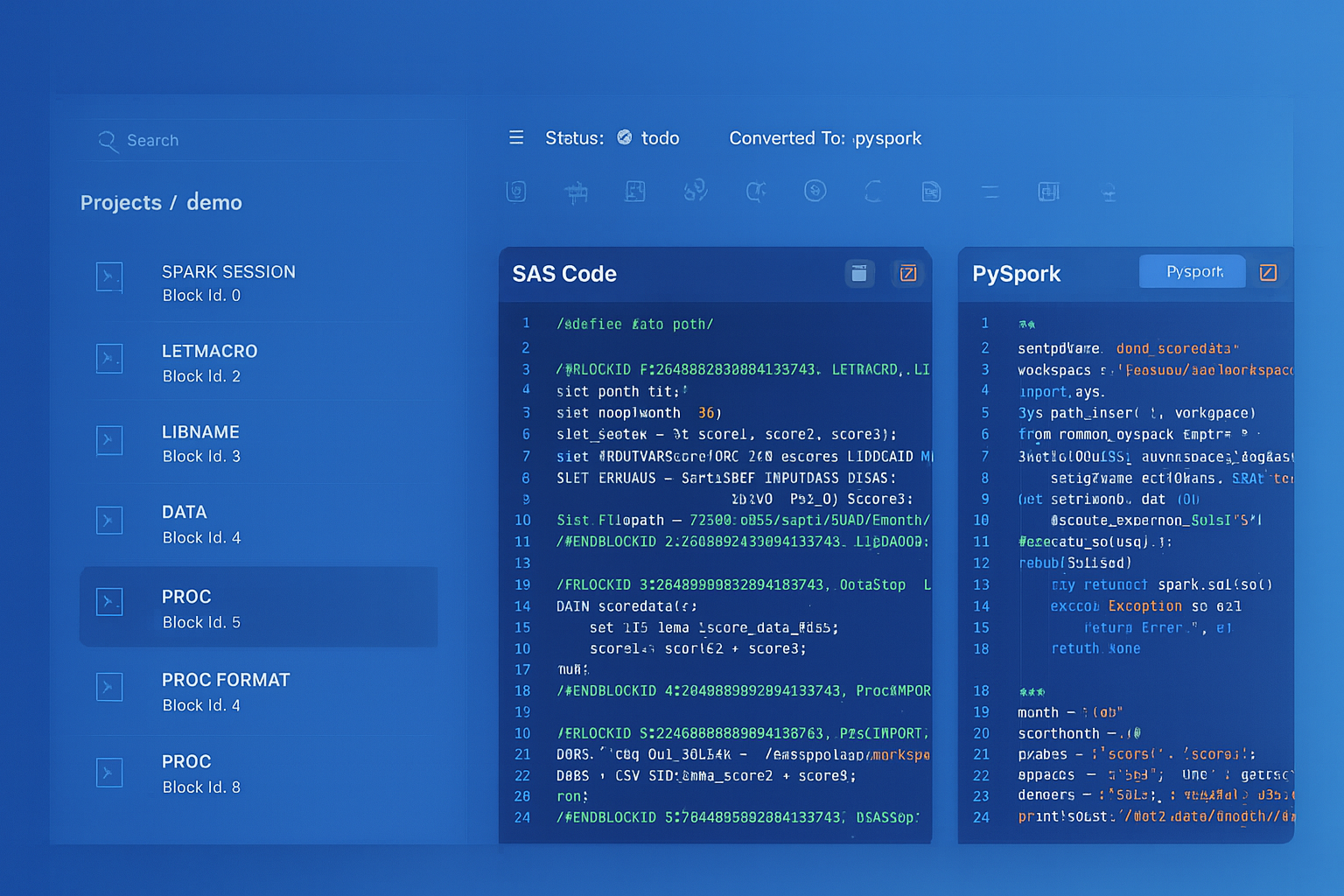
From parsed legacy code to production-ready modern equivalents — MigryX automates the entire conversion pipeline
From Legacy Complexity to Modern Clarity with MigryX
Legacy ETL platforms encode business logic in visual workflows, proprietary XML formats, and platform-specific constructs that are opaque to standard analysis tools. MigryX’s deep parsers crack open these proprietary formats and extract the underlying data transformations, business rules, and data flows. The result is complete transparency into what your legacy code actually does — often revealing undocumented logic that even the original developers had forgotten.
Teradata Workload Management to Snowflake Virtual Warehouses
Teradata's TASM (Teradata Active System Management) and TIWM (Teradata Intelligent Workload Manager) control resource allocation across workload classes, priority levels, and throttling rules on a shared compute system. Snowflake replaces this with per-warehouse sizing, auto-scaling multi-cluster warehouses, and resource monitors for budget control. The fundamental shift is from shared compute with priority management to isolated compute pools that cannot interfere with each other.
-- TERADATA TASM: Complex priority configuration on shared system
-- All users and workloads compete for the same AMPs

-- SNOWFLAKE: Separate warehouses per workload (isolated compute)
CREATE OR REPLACE WAREHOUSE etl_wh
  WAREHOUSE_SIZE = 'X-LARGE'
  AUTO_SUSPEND = 120
  AUTO_RESUME = TRUE
  MAX_CLUSTER_COUNT = 1;

CREATE OR REPLACE WAREHOUSE reporting_wh
  WAREHOUSE_SIZE = 'MEDIUM'
  AUTO_SUSPEND = 300
  AUTO_RESUME = TRUE
  MIN_CLUSTER_COUNT = 1
  MAX_CLUSTER_COUNT = 4
  SCALING_POLICY = 'STANDARD';

CREATE OR REPLACE WAREHOUSE datascience_wh
  WAREHOUSE_SIZE = 'LARGE'
  AUTO_SUSPEND = 60
  AUTO_RESUME = TRUE;

-- Resource monitors for budget control
CREATE OR REPLACE RESOURCE MONITOR etl_budget
  CREDIT_QUOTA = 500
  FREQUENCY = MONTHLY
  START_TIMESTAMP = IMMEDIATELY
  TRIGGERS
    ON 75 PERCENT DO NOTIFY
    ON 90 PERCENT DO NOTIFY
    ON 100 PERCENT DO SUSPEND;

ALTER WAREHOUSE etl_wh SET RESOURCE_MONITOR = etl_budget;
Teradata Scheduling (DBCAL) to Snowflake Tasks
Teradata scheduling relies on external tools like DBCAL, AutoSys, or Control-M to trigger BTEQ scripts and stored procedures. Snowflake Tasks provide built-in scheduling with CRON expressions, predecessor-based DAGs, conditional execution, and stream-based triggering.
-- External scheduler (AutoSys/Control-M) calling BTEQ scripts:
-- Job 1: 02:00 AM - run extract.bteq
-- Job 2: after Job 1 - run transform.bteq
-- Job 3: after Job 2 - run load.bteq
-- Job 4: after Job 3 - run validate.bteq

-- SNOWFLAKE: Native Task DAG with stream-based triggering
CREATE OR REPLACE TASK etl.extract_task
    WAREHOUSE = etl_wh
    SCHEDULE = 'USING CRON 0 2 * * * America/New_York'
    WHEN SYSTEM$STREAM_HAS_DATA('staging.source_stream')
AS
    CALL etl.extract_from_sources();

CREATE OR REPLACE TASK etl.transform_task
    WAREHOUSE = etl_wh
    AFTER etl.extract_task
AS
    CALL etl.transform_and_enrich();

CREATE OR REPLACE TASK etl.load_task
    WAREHOUSE = etl_wh
    AFTER etl.transform_task
AS
    CALL etl.load_to_warehouse();

CREATE OR REPLACE TASK etl.validate_task
    WAREHOUSE = etl_wh
    AFTER etl.load_task
AS
    CALL etl.run_quality_checks();

-- Enable bottom-up
ALTER TASK etl.validate_task RESUME;
ALTER TASK etl.load_task RESUME;
ALTER TASK etl.transform_task RESUME;
ALTER TASK etl.extract_task RESUME;
Dynamic Tables: Declarative Replacement for Scheduled BTEQ Jobs
Many Teradata BTEQ scripts exist solely to run a scheduled query and populate a summary or aggregate table — a DELETE followed by an INSERT with GROUP BY. Snowflake Dynamic Tables replace this pattern entirely with a declarative definition that Snowflake automatically keeps up to date, including incremental refresh.
-- TERADATA: BTEQ script run hourly via scheduler
-- DELETE FROM analytics_db.regional_summary;
-- INSERT INTO analytics_db.regional_summary
-- SELECT region, product_category, SUM(amount), COUNT(*)
-- FROM analytics_db.fact_sales
-- JOIN analytics_db.dim_store ON ...
-- GROUP BY 1, 2;

-- SNOWFLAKE: Dynamic Table — no scheduling, no procedure, no task
CREATE OR REPLACE DYNAMIC TABLE analytics.regional_summary
  TARGET_LAG = '1 hour'
  WAREHOUSE = etl_wh
AS
  SELECT
      st.region,
      p.category AS product_category,
      SUM(s.amount) AS total_sales,
      COUNT(*) AS transaction_count,
      AVG(s.amount) AS avg_transaction,
      COUNT(DISTINCT s.customer_id) AS unique_customers
  FROM analytics.fact_sales s
  JOIN analytics.dim_store st ON s.store_id = st.store_id
  JOIN analytics.dim_product p ON s.product_id = p.product_id
  GROUP BY st.region, p.category;
Time Travel: A Capability Teradata Cannot Match
Snowflake Time Travel allows querying historical data states and recovering from accidental changes without backup-and-restore operations. Teradata has temporal tables (validtime/transactiontime), but they require explicit schema design and are not the same as Snowflake's automatic Time Travel on every table.
-- Query data as it was 2 hours ago
SELECT * FROM analytics.fact_sales AT (OFFSET => -7200);

-- Recover from accidental DELETE
CREATE OR REPLACE TABLE analytics.fact_sales
  CLONE analytics.fact_sales
  BEFORE (STATEMENT => LAST_QUERY_ID(-1));

-- Zero-copy clone for testing (Teradata has no equivalent)
CREATE DATABASE dev_analytics CLONE prod_analytics;
Migration Strategy with MigryX
MigryX uses AST-based deterministic parsers to analyze Teradata SQL and BTEQ scripts at the syntax-tree level, understanding not just the SQL statements but also BTEQ dot-commands, SPL control flow, data type declarations, PI/PPI definitions, and macro structures. This deep structural understanding enables automated conversion with over 95% accuracy across the full spectrum of Teradata SQL extensions and procedural constructs.
The MigryX platform generates column-level data lineage from Teradata source tables through every transformation step to final targets, producing STTM (Source-to-Target Mapping) documentation automatically. For organizations with thousands of BTEQ scripts and stored procedures, this lineage analysis provides the impact assessment needed to plan migration waves and validate completeness.
- AST-based deterministic parsing — MigryX parses Teradata SQL, BTEQ, and SPL at the abstract syntax tree level, not with regex patterns. This captures nested expressions, complex CASE logic, QUALIFY clauses, and procedural control flow that regex tools miss.
- +95% parser accuracy — handles the full range of Teradata SQL extensions including NORMALIZE, TEMPORAL, FORMAT phrases, and proprietary functions across Teradata 14 through 17.
- Column-level lineage — traces data from source columns through every join, aggregation, and expression to target columns, producing STTM documentation that validates migration correctness.
- Multi-target output — generates Snowflake SQL, Snowpark Python, and Task DAG definitions from a single Teradata analysis.
- On-premise and air-gapped deployment — runs entirely within your network. No Teradata DDL, DML, or data leaves your environment. Critical for financial services, healthcare, and government.
- STTM documentation — automatically produces comprehensive Source-to-Target Mapping documents covering every column, transformation rule, and lineage path.
- Merlin AI — for complex Teradata constructs (NORMALIZE, temporal queries, C/C++ UDFs, TASM workload rules), Merlin AI generates optimized Snowflake equivalents with explanations.
Migration Comparison: Teradata vs. Snowflake Operational Model
| Dimension | Teradata | Snowflake |
|---|---|---|
| Infrastructure | Dedicated hardware nodes, rack deployment | Fully managed cloud, zero hardware |
| Scaling | Add physical nodes (weeks, procurement) | Resize warehouse in seconds |
| Data Distribution | Primary Index hash across AMPs | Automatic micro-partitioning |
| Statistics | Manual COLLECT STATISTICS jobs | Automatic, real-time, zero maintenance |
| Workload Management | TASM/TIWM on shared compute | Isolated virtual warehouses per workload |
| Bulk Loading | FastLoad, MultiLoad, TPT utilities | COPY INTO, Snowpipe, MERGE |
| Scheduling | External (AutoSys, Control-M, cron) | Native Snowflake Tasks with CRON + DAGs |
| CDC | Teradata CDC or custom triggers | Native Snowflake Streams |
| Cost Model | Per-node licensing + hardware + maintenance | Per-second compute consumption |
| Semi-Structured Data | JSON/XML support (limited) | Native VARIANT, FLATTEN, PARSE_JSON |
| Point-in-Time Recovery | Journal tables, archive/restore | Time Travel (up to 90 days) |
| Environment Cloning | Full data copy (days/weeks) | Zero-copy clone (seconds) |
Key Takeaways
- BTEQ scripts with .IF/.THEN/.GOTO control flow convert to Snowflake SQL scripting stored procedures with IF/THEN/ELSE, loops, and structured exception handling — replacing unstructured GOTO logic with maintainable code.
- Teradata QUALIFY is supported natively in Snowflake with identical syntax — including MERGE with QUALIFY patterns that migrate with minimal changes.
- SET table deduplication behavior must be implemented explicitly in Snowflake using DISTINCT or QUALIFY ROW_NUMBER() since Snowflake tables are MULTISET by default.
- Teradata SPL stored procedures convert to Snowflake SQL scripting with equivalent variables, cursors, loops, and exception handling. ACTIVITY_COUNT becomes SQLROWCOUNT, EXIT HANDLER becomes EXCEPTION blocks.
- Teradata macros convert directly to Snowflake stored procedures with parameterized SQL.
- FastLoad, MultiLoad, and TPT are replaced by COPY INTO (batch), MERGE (upsert), and Snowpipe (continuous) — with simpler configuration and no client-side utilities.
- Primary Index and PPI design are eliminated entirely — Snowflake's automatic micro-partitioning removes the most error-prone aspect of Teradata physical design.
- COLLECT STATISTICS maintenance jobs are eliminated — Snowflake maintains all optimizer metadata automatically.
- MigryX automates Teradata SQL transpilation, BTEQ conversion, and SPL procedure migration with AST-based parsing and column-level lineage generation at over 95% accuracy.
Migrating from Teradata to Snowflake is fundamentally a move from a proprietary, hardware-bound data warehousing model to an elastic, consumption-based cloud platform. The technical conversion of SQL, BTEQ scripts, stored procedures, macros, and loading utilities is substantial but well-defined — every Teradata construct has a Snowflake equivalent. The operational benefits are immediate: no hardware procurement, no PI design reviews, no statistics collection jobs, no TASM configuration, and a pricing model that scales with actual usage rather than peak capacity. For organizations running Teradata, the migration to Snowflake eliminates the infrastructure complexity and licensing costs that have constrained data warehousing budgets for years.
Why MigryX Is the Only Platform That Handles This Migration
The challenges described throughout this article are exactly what MigryX was built to solve. Here is how MigryX transforms this process:
- Deep AST parsing: MigryX’s custom-built parsers achieve 95% accuracy on every supported legacy technology — not through approximation, but through true semantic understanding.
- Merlin AI augmentation: Where deterministic parsing reaches its limit, Merlin AI resolves ambiguities and implicit behaviors, pushing accuracy to 99%.
- Complete coverage: MigryX supports 25+ source technologies including SAS, Informatica, DataStage, SSIS, Alteryx, Talend, ODI, Teradata, and Oracle PL/SQL.
- End-to-end automation: From parsing to conversion to validation — MigryX automates the entire pipeline, not just one step.
MigryX combines precision AST parsing with Merlin AI to deliver 99% accurate, production-ready migration — turning what used to be a multi-year manual effort into a streamlined, validated process. See it in action.
Ready to migrate from Teradata to Snowflake?
See how MigryX converts Teradata BTEQ scripts, SQL, stored procedures, and macros to production-ready Snowflake SQL, Snowpark pipelines, and Task DAGs — with full column-level lineage.
Explore Snowflake Migration Schedule a Demo