IBM DataStage has been one of the most widely deployed enterprise ETL platforms for over two decades, particularly in banking, insurance, telecommunications, and government. Its parallel processing engine, Transformer stage, and sequential job orchestration have powered mission-critical data warehousing pipelines at scale. However, organizations are finding that DataStage's infrastructure requirements (dedicated servers, InfoSphere Information Server licensing, ongoing maintenance), combined with the scarcity of DataStage-skilled developers, create a compelling case for migration to modern, serverless platforms.
Google BigQuery eliminates the infrastructure layer entirely. Transformations execute as SQL queries on serverless compute. Orchestration is handled by Cloud Composer (managed Apache Airflow) or Dataform. Change data capture is built into BigQuery through change history and Dataform incremental models. This article provides an exhaustive technical mapping of DataStage parallel job concepts to their BigQuery-native equivalents, with production-ready code examples for every major stage type.
DataStage Architecture vs. BigQuery Architecture
DataStage parallel jobs run on the DataStage engine, which uses a shared-nothing parallel processing framework. Data flows through stages connected by links, with each stage executing on one or more processing nodes. The engine partitions data across nodes, processes it through Transformer stages (where derivation logic lives), and writes results to target stages. Sequential jobs orchestrate parallel jobs with conditional logic, loops, and error handling. The entire system runs on dedicated infrastructure managed by the DataStage administrator.
BigQuery is a serverless, columnar analytics engine where storage and compute are fully separated. There are no servers to manage, no partitioning strategies to configure at the engine level, and no processing nodes to tune. SQL is the primary transformation language. BigQuery's Dremel execution engine automatically parallelizes queries across thousands of compute slots. Dataform provides SQL-based pipeline orchestration with dependency graphs, incremental processing, and assertions (data quality checks). Cloud Composer provides full Airflow DAG orchestration for complex cross-system workflows.
| DataStage Concept | BigQuery Equivalent | Notes |
|---|---|---|
| Parallel Job | BigQuery SQL script / Dataform SQLX | Stage chains become CTEs or Dataform dependencies |
| Sequential Job | Cloud Composer DAG / Dataform DAG | Job orchestration with dependencies and conditions |
| Transformer Stage | SQL SELECT with expressions | Derivations become SQL columns, CASE, functions |
| Lookup Stage | SQL JOIN (LEFT/INNER) | Reference lookups become standard JOINs |
| Aggregator Stage | GROUP BY with aggregate functions | SUM, COUNT, AVG, MIN, MAX, STRING_AGG |
| Join Stage | SQL JOIN | Inner, left, right, full outer joins |
| Merge Stage | SQL JOIN (with update semantics) | MERGE statement for upserts |
| Sort Stage | ORDER BY / window function partitioning | Often unnecessary in BigQuery (optimizer handles it) |
| Funnel Stage | UNION ALL | Combine multiple inputs into one output |
| Surrogate Key Generator | ROW_NUMBER() / GENERATE_UUID() | Deterministic keys via ROW_NUMBER, random via UUID |
| Change Capture Stage | BigQuery change history / Dataform incremental | APPENDS / CHANGES table functions or MERGE patterns |
| Environment Variables | Dataform variables / BigQuery scripting | Dataform vars in config, DECLARE in BigQuery scripting |
| DataStage Scheduling | Scheduled Queries / Cloud Composer | Cron-based SQL scheduling or Airflow DAGs |

IBM DataStage to BigQuery migration — automated end-to-end by MigryX
Transformer Stage to BigQuery SQL
The Transformer stage is the heart of DataStage parallel jobs. It contains derivation expressions that define how output columns are computed from input columns. Derivations use DataStage's built-in functions (string manipulation, date functions, type conversion, conditional logic) applied to each row. In BigQuery, these derivations become SQL column expressions in SELECT statements.
Transformer Derivation to BigQuery SQL
// DataStage Transformer Derivations (pseudo-code from the stage)
// Input link: orders_in
// Output link: orders_out

// Derivation 1: Full name concatenation
full_name = Trim(orders_in.first_name) : ' ' : Trim(orders_in.last_name)

// Derivation 2: Revenue calculation with null handling
net_revenue = If IsNull(orders_in.discount_amount) Then
                  orders_in.gross_amount
              Else
                  orders_in.gross_amount - orders_in.discount_amount

// Derivation 3: Date formatting and fiscal year
order_year = Year(orders_in.order_date)
fiscal_year = If Month(orders_in.order_date) >= 7 Then
                  Year(orders_in.order_date) + 1
              Else
                  Year(orders_in.order_date)

// Derivation 4: Status code mapping
status_desc = Decode(orders_in.status_code,
    'N', 'New',
    'P', 'Processing',
    'S', 'Shipped',
    'D', 'Delivered',
    'C', 'Cancelled',
    'Unknown')

// Derivation 5: Surrogate key hash
customer_hash = HashSha2(
    Trim(orders_in.customer_id) : '|' :
    Trim(orders_in.source_system), 256)
-- BigQuery SQL equivalent of Transformer derivations
SELECT
    -- Derivation 1: String concatenation
    CONCAT(TRIM(first_name), ' ', TRIM(last_name)) AS full_name,

    -- Derivation 2: Null handling with COALESCE/IF
    gross_amount - COALESCE(discount_amount, 0) AS net_revenue,

    -- Derivation 3: Date extraction and fiscal year logic
    EXTRACT(YEAR FROM order_date) AS order_year,
    CASE
        WHEN EXTRACT(MONTH FROM order_date) >= 7
        THEN EXTRACT(YEAR FROM order_date) + 1
        ELSE EXTRACT(YEAR FROM order_date)
    END AS fiscal_year,

    -- Derivation 4: Status code mapping (Decode -> CASE)
    CASE status_code
        WHEN 'N' THEN 'New'
        WHEN 'P' THEN 'Processing'
        WHEN 'S' THEN 'Shipped'
        WHEN 'D' THEN 'Delivered'
        WHEN 'C' THEN 'Cancelled'
        ELSE 'Unknown'
    END AS status_desc,

    -- Derivation 5: Hash key for SCD
    TO_HEX(SHA256(
        CONCAT(TRIM(CAST(customer_id AS STRING)), '|',
               TRIM(source_system))
    )) AS customer_hash,

    -- Pass-through columns
    order_id,
    customer_id,
    order_date,
    gross_amount,
    discount_amount,
    status_code,
    source_system
FROM `project.staging.raw_orders`;
DataStage Function to BigQuery Function Mapping
| DataStage Function | BigQuery Equivalent | Example |
|---|---|---|
| Trim(s) | TRIM(s) | TRIM(' hello ') = 'hello' |
| Left(s, n) | LEFT(s, n) | LEFT('ABCDEF', 3) = 'ABC' |
| Right(s, n) | RIGHT(s, n) | RIGHT('ABCDEF', 3) = 'DEF' |
| Index(s, sub, n) | STRPOS(s, sub) or INSTR(s, sub, 1, n) | Position of substring |
| Len(s) | LENGTH(s) | LENGTH('hello') = 5 |
| Upcase(s) | UPPER(s) | UPPER('hello') = 'HELLO' |
| Downcase(s) | LOWER(s) | LOWER('HELLO') = 'hello' |
| Convert(old, new, s) | TRANSLATE(s, old, new) | Character-level replacement |
| Field(s, delim, n) | SPLIT(s, delim)[SAFE_OFFSET(n-1)] | Extract nth delimited field |
| Decode(v, c1, r1, ...) | CASE v WHEN c1 THEN r1 ... | Value-to-value mapping |
| If...Then...Else | CASE WHEN...THEN...ELSE...END | Conditional logic |
| IsNull(x) | x IS NULL | Null check in WHERE or CASE |
| NullToValue(x, v) | COALESCE(x, v) / IFNULL(x, v) | Replace null with default |
| Year(d) / Month(d) / Day(d) | EXTRACT(YEAR FROM d) | Date part extraction |
| DateFromDaysSince(n, base) | DATE_ADD(base, INTERVAL n DAY) | Date arithmetic |
| TimestampToDate(ts) | DATE(ts) | Timestamp truncation to date |
| HashSha2(s, 256) | TO_HEX(SHA256(s)) | SHA-256 hash for SCD keys |
MigryX: Purpose-Built Parsers for Every Legacy Technology
MigryX does not rely on generic text matching or regex-based parsing. For every supported legacy technology, MigryX has built a dedicated Abstract Syntax Tree (AST) parser that understands the full grammar and semantics of that platform. This means MigryX captures not just what the code does, but why — understanding implicit behaviors, default settings, and platform-specific quirks that generic tools miss entirely.
Lookup Stage to BigQuery JOINs
The DataStage Lookup stage reads a reference dataset into memory and matches input rows against the reference on specified key columns. It returns matched reference columns or a reject link for unmatched rows. In BigQuery, Lookup stages become standard SQL JOINs. Since all data is already in BigQuery, there is no "caching" concern — the optimizer handles data access patterns automatically.
// DataStage Lookup Stage configuration:
// Main input: transactions (from source)
// Reference: product_catalog (cached in memory)
// Key: product_id = product_id
// Return columns: product_name, category, unit_cost
// Reject link: unmatched_transactions (no matching product)
-- BigQuery SQL equivalent: LEFT JOIN replaces Lookup
-- Matched rows (Lookup output link)
SELECT
    t.transaction_id,
    t.customer_id,
    t.product_id,
    t.quantity,
    t.sale_amount,
    t.transaction_date,
    p.product_name,
    p.category,
    p.unit_cost,
    t.quantity * p.unit_cost AS total_cost,
    t.sale_amount - (t.quantity * p.unit_cost) AS margin
FROM `project.staging.transactions` t
LEFT JOIN `project.reference.product_catalog` p
    ON t.product_id = p.product_id;

-- Reject link equivalent (unmatched transactions)
SELECT t.*
FROM `project.staging.transactions` t
LEFT JOIN `project.reference.product_catalog` p
    ON t.product_id = p.product_id
WHERE p.product_id IS NULL;
DataStage Lookup stages require explicit configuration of cache size, reject handling, and reference data refresh. In BigQuery, all of this complexity disappears. A LEFT JOIN handles both the lookup and the reject path in a single query. The BigQuery optimizer decides the optimal join strategy (broadcast, hash, sort-merge) automatically based on data statistics.
Aggregator Stage to BigQuery GROUP BY
The DataStage Aggregator stage groups input rows by specified key columns and computes aggregate values. It supports standard aggregation functions (sum, count, min, max, mean) and can produce multiple output rows per group when using calculation columns. BigQuery's GROUP BY with aggregate functions provides a direct replacement.
// DataStage Aggregator Stage:
// Group keys: region, product_category, fiscal_quarter
// Aggregates: SUM(sale_amount), COUNT(*), AVG(unit_price),
//             MIN(transaction_date), MAX(transaction_date)
-- BigQuery SQL equivalent
CREATE OR REPLACE TABLE `project.gold.regional_product_summary` AS
SELECT
    region,
    product_category,
    fiscal_quarter,
    SUM(sale_amount) AS total_sales,
    COUNT(*) AS transaction_count,
    AVG(unit_price) AS avg_unit_price,
    MIN(transaction_date) AS first_transaction,
    MAX(transaction_date) AS last_transaction,
    COUNT(DISTINCT customer_id) AS unique_customers,
    APPROX_QUANTILES(sale_amount, 4)[OFFSET(2)] AS median_sale,
    STDDEV(sale_amount) AS sale_amount_stddev
FROM `project.silver.enriched_transactions`
GROUP BY region, product_category, fiscal_quarter
ORDER BY region, product_category, fiscal_quarter;
Join and Merge Stages to BigQuery SQL
DataStage provides separate Join and Merge stages. The Join stage performs relational joins with inner, left, right, and full outer options. The Merge stage combines sorted inputs with update/reject semantics. BigQuery handles both with standard SQL JOINs and the MERGE statement.
-- DataStage Join Stage: Full outer join of two sources
-- BigQuery SQL equivalent
SELECT
    COALESCE(a.customer_id, b.customer_id) AS customer_id,
    a.crm_name,
    a.crm_email,
    a.crm_phone,
    b.erp_name,
    b.erp_address,
    b.erp_credit_limit,
    CASE
        WHEN a.customer_id IS NOT NULL AND b.customer_id IS NOT NULL THEN 'Matched'
        WHEN a.customer_id IS NOT NULL THEN 'CRM Only'
        ELSE 'ERP Only'
    END AS match_status
FROM `project.staging.crm_customers` a
FULL OUTER JOIN `project.staging.erp_customers` b
    ON a.customer_id = b.customer_id;
Surrogate Key Generator to BigQuery Functions
DataStage's Surrogate Key Generator stage produces sequential integer keys for dimension tables. BigQuery provides several approaches: ROW_NUMBER() for deterministic sequential keys, GENERATE_UUID() for globally unique identifiers, and hash-based keys using SHA256() for natural key composites.
-- DataStage: Surrogate Key Generator Stage
-- Start value: 1, Increment: 1, Key column: dim_customer_sk

-- BigQuery: ROW_NUMBER() for sequential surrogate keys
CREATE OR REPLACE TABLE `project.gold.dim_customer` AS
SELECT
    ROW_NUMBER() OVER (ORDER BY customer_id) AS dim_customer_sk,
    customer_id AS customer_nk,
    customer_name,
    email,
    region,
    segment,
    signup_date,
    CURRENT_TIMESTAMP() AS effective_from,
    TIMESTAMP('9999-12-31') AS effective_to,
    TRUE AS is_current
FROM `project.silver.customers`;

-- Alternative: Hash-based surrogate key (deterministic, idempotent)
CREATE OR REPLACE TABLE `project.gold.dim_customer` AS
SELECT
    TO_HEX(SHA256(CONCAT(
        CAST(customer_id AS STRING), '|',
        source_system
    ))) AS dim_customer_sk,
    customer_id AS customer_nk,
    customer_name,
    email,
    region,
    segment,
    signup_date,
    CURRENT_TIMESTAMP() AS effective_from,
    TIMESTAMP('9999-12-31') AS effective_to,
    TRUE AS is_current
FROM `project.silver.customers`;
DataStage SCD Type 2 to BigQuery MERGE
Slowly Changing Dimension (SCD) Type 2 is one of the most complex DataStage patterns, typically involving a Change Capture stage feeding a Transformer with conditional logic to insert new records, expire old records, and pass through unchanged records. BigQuery's MERGE statement handles the entire SCD Type 2 pattern in a single, atomic SQL operation.
// DataStage SCD Type 2 Pattern:
// 1. Change Capture stage compares source to existing dimension
// 2. Transformer routes to: New Insert, Update (expire + insert), No Change
// 3. Sequential logic: expire old records, then insert new records
// This typically requires multiple stages and careful sequencing
-- BigQuery MERGE: Complete SCD Type 2 in a single statement
-- Step 1: Identify changes using a staging comparison
CREATE TEMP TABLE scd_changes AS
SELECT
    s.customer_id,
    s.customer_name,
    s.email,
    s.region,
    s.segment,
    TO_HEX(SHA256(CONCAT(
        s.customer_name, '|', s.email, '|', s.region, '|', s.segment
    ))) AS source_hash,
    d.dim_customer_sk,
    d.effective_from AS existing_effective_from,
    TO_HEX(SHA256(CONCAT(
        d.customer_name, '|', d.email, '|', d.region, '|', d.segment
    ))) AS target_hash
FROM `project.staging.customers_delta` s
LEFT JOIN `project.gold.dim_customer` d
    ON s.customer_id = d.customer_nk
    AND d.is_current = TRUE;

-- Step 2: Expire changed records
UPDATE `project.gold.dim_customer` d
SET
    d.effective_to = CURRENT_TIMESTAMP(),
    d.is_current = FALSE
WHERE d.is_current = TRUE
  AND d.customer_nk IN (
      SELECT customer_id FROM scd_changes
      WHERE dim_customer_sk IS NOT NULL
        AND source_hash != target_hash
  );

-- Step 3: Insert new and changed records
INSERT INTO `project.gold.dim_customer`
(dim_customer_sk, customer_nk, customer_name, email, region,
 segment, effective_from, effective_to, is_current)
SELECT
    TO_HEX(SHA256(CONCAT(
        CAST(customer_id AS STRING), '|',
        CAST(CURRENT_TIMESTAMP() AS STRING)
    ))) AS dim_customer_sk,
    customer_id,
    customer_name,
    email,
    region,
    segment,
    CURRENT_TIMESTAMP() AS effective_from,
    TIMESTAMP('9999-12-31') AS effective_to,
    TRUE AS is_current
FROM scd_changes
WHERE dim_customer_sk IS NULL  -- new records
   OR source_hash != target_hash;  -- changed records
In DataStage, SCD Type 2 processing requires careful orchestration of Change Capture stages, Transformer conditional logic, and sequential job coordination to ensure atomicity. BigQuery's scripting block executes all three operations (detect changes, expire old records, insert new versions) as a single atomic transaction, eliminating the race conditions and partial-failure scenarios that plague DataStage SCD implementations.
Funnel Stage to BigQuery UNION ALL
The DataStage Funnel stage combines multiple input links into a single output link. It supports three modes: Continuous (interleaved), Sort (merge-sorted), and Sequence (one after another). BigQuery's UNION ALL handles all these cases, with ORDER BY providing sorted output when needed.
-- DataStage Funnel Stage: Combine data from 3 source systems
-- Mode: Sequence (all from source_1, then source_2, then source_3)

-- BigQuery: UNION ALL with source tracking
SELECT *, 'CRM' AS source_system FROM `project.staging.crm_contacts`
UNION ALL
SELECT *, 'ERP' AS source_system FROM `project.staging.erp_contacts`
UNION ALL
SELECT *, 'WEB' AS source_system FROM `project.staging.web_registrations`
ORDER BY last_updated DESC;
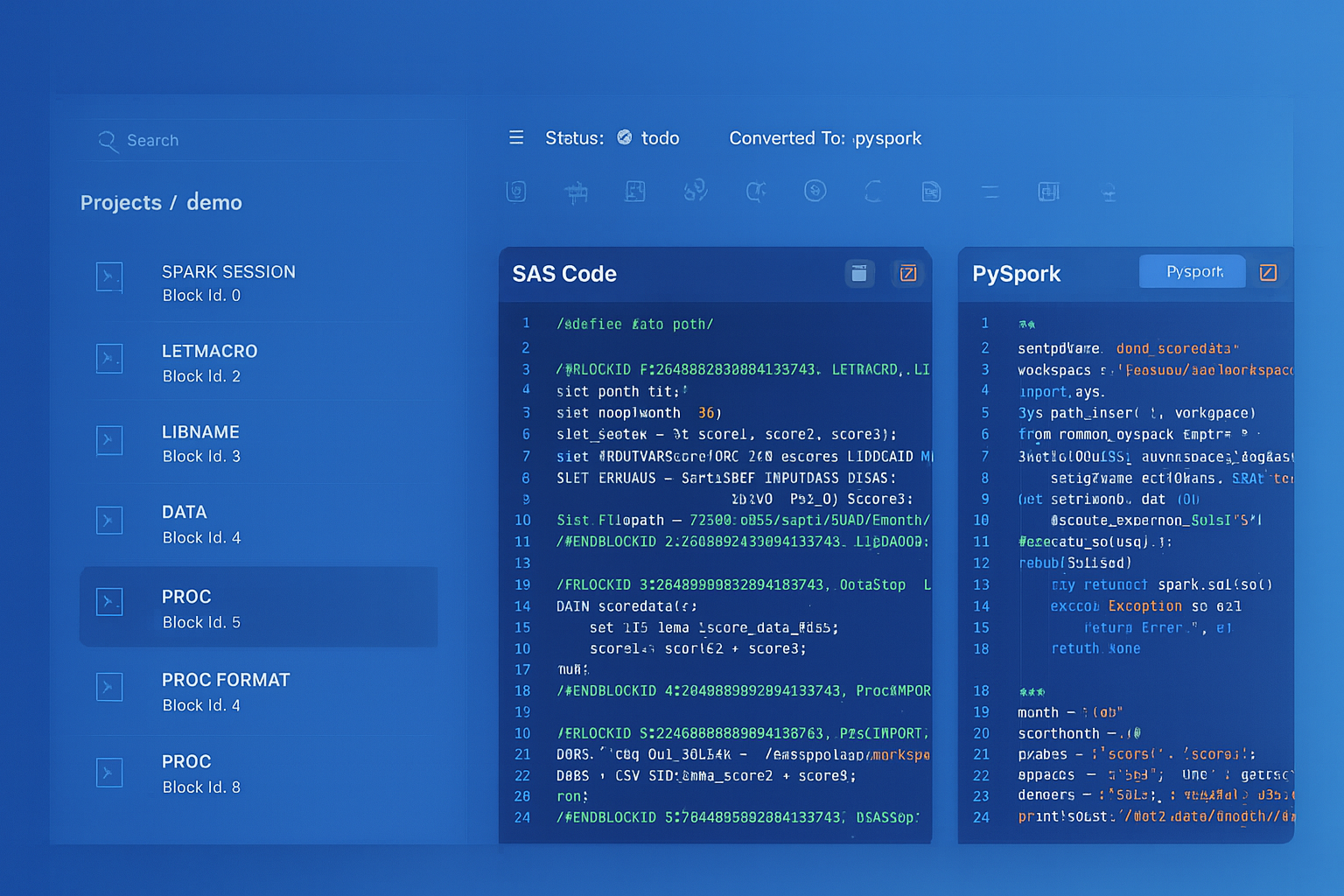
From parsed legacy code to production-ready modern equivalents — MigryX automates the entire conversion pipeline
From Legacy Complexity to Modern Clarity with MigryX
Legacy ETL platforms encode business logic in visual workflows, proprietary XML formats, and platform-specific constructs that are opaque to standard analysis tools. MigryX’s deep parsers crack open these proprietary formats and extract the underlying data transformations, business rules, and data flows. The result is complete transparency into what your legacy code actually does — often revealing undocumented logic that even the original developers had forgotten.
Change Capture to BigQuery Incremental Processing
DataStage's Change Capture stage compares incoming records against a reference to identify inserts, updates, deletes, and unchanged records. In BigQuery, incremental processing is handled through several mechanisms: Dataform incremental models, BigQuery change history (APPENDS and CHANGES table functions), and MERGE-based patterns.
-- Dataform incremental model: Replaces DataStage Change Capture
-- definitions/silver/incremental_orders.sqlx

config {
    type: "incremental",
    schema: "silver",
    uniqueKey: ["order_id"],
    description: "Incrementally processed orders from raw source"
}

SELECT
    order_id,
    customer_id,
    order_date,
    product_id,
    quantity,
    amount,
    status,
    CURRENT_TIMESTAMP() AS processed_at
FROM ${ref("raw_orders")}

${when(incremental(),
    `WHERE order_date > (SELECT MAX(order_date) FROM ${self()})`
)}
-- BigQuery native: APPENDS table function for change capture
-- Identify new rows appended since last processing
SELECT *
FROM APPENDS(
    TABLE `project.staging.raw_orders`,
    TIMESTAMP_SUB(CURRENT_TIMESTAMP(), INTERVAL 1 HOUR),
    NULL
);

-- MERGE pattern for upsert (replaces DataStage CDC + Merge)
MERGE INTO `project.silver.orders` AS target
USING `project.staging.raw_orders_delta` AS source
ON target.order_id = source.order_id
WHEN MATCHED AND source.updated_at > target.updated_at THEN
    UPDATE SET
        target.customer_id = source.customer_id,
        target.amount = source.amount,
        target.status = source.status,
        target.updated_at = source.updated_at
WHEN NOT MATCHED THEN
    INSERT (order_id, customer_id, amount, status, updated_at)
    VALUES (source.order_id, source.customer_id, source.amount,
            source.status, source.updated_at);
Sequential Jobs to Cloud Composer DAGs
DataStage sequential jobs orchestrate parallel jobs with conditional logic (If/Then/Else), loops, exception handling, and notifications. Cloud Composer (managed Apache Airflow) provides equivalent orchestration with richer scheduling, monitoring, and cross-system integration capabilities.
# Cloud Composer DAG replacing a DataStage sequential job
# Original: Load raw -> Transform -> Build dimensions -> Build facts -> Validate

from airflow import DAG
from airflow.providers.google.cloud.operators.bigquery import (
    BigQueryInsertJobOperator, BigQueryCheckOperator
)
from airflow.operators.email import EmailOperator
from airflow.utils.trigger_rule import TriggerRule
from datetime import datetime, timedelta

default_args = {
    'retries': 2,
    'retry_delay': timedelta(minutes=5),
    'email_on_failure': True,
    'email': ['data-team@company.com']
}

with DAG(
    'datastage_migration_daily_etl',
    default_args=default_args,
    schedule_interval='0 5 * * *',
    start_date=datetime(2026, 1, 1),
    catchup=False,
    tags=['datastage-migration', 'etl']
) as dag:

    # Parallel Job 1: Load raw data (replaces DS parallel job)
    load_raw = BigQueryInsertJobOperator(
        task_id='load_raw_data',
        configuration={
            'query': {
                'query': """
                    LOAD DATA INTO `project.raw.daily_transactions`
                    FROM FILES (
                        format = 'CSV',
                        uris = ['gs://data-lake/daily/{{ ds }}/*.csv']
                    );
                """,
                'useLegacySql': False
            }
        }
    )

    # Parallel Job 2: Transform to silver (replaces DS parallel job)
    transform_silver = BigQueryInsertJobOperator(
        task_id='transform_to_silver',
        configuration={
            'query': {
                'query': 'CALL `project.silver.sp_transform_transactions`("{{ ds }}")',
                'useLegacySql': False
            }
        }
    )

    # Parallel Job 3: Build dimensions (replaces DS parallel job)
    build_dimensions = BigQueryInsertJobOperator(
        task_id='build_dimensions',
        configuration={
            'query': {
                'query': 'CALL `project.gold.sp_build_dimensions`()',
                'useLegacySql': False
            }
        }
    )

    # Parallel Job 4: Build fact tables (replaces DS parallel job)
    build_facts = BigQueryInsertJobOperator(
        task_id='build_fact_tables',
        configuration={
            'query': {
                'query': 'CALL `project.gold.sp_build_facts`("{{ ds }}")',
                'useLegacySql': False
            }
        }
    )

    # Data quality check (replaces DS sequential job validation)
    validate = BigQueryCheckOperator(
        task_id='validate_row_counts',
        sql="""
            SELECT COUNT(*) > 0
            FROM `project.gold.fact_transactions`
            WHERE load_date = '{{ ds }}'
        """,
        use_legacy_sql=False
    )

    # Error notification (replaces DS ExecCommand with email)
    notify_failure = EmailOperator(
        task_id='notify_failure',
        to='data-team@company.com',
        subject='ETL Pipeline Failed: {{ ds }}',
        html_content='Check Airflow logs for details.',
        trigger_rule=TriggerRule.ONE_FAILED
    )

    # DAG dependency chain (mirrors DS sequential job flow)
    load_raw >> transform_silver >> build_dimensions >> build_facts >> validate
    [build_dimensions, build_facts, validate] >> notify_failure
DataStage Environment Variables to Dataform/BigQuery Variables
DataStage uses environment variables and job parameters to externalize configuration (database connections, file paths, date ranges, processing flags). BigQuery and Dataform provide equivalent parameterization through Dataform variables, BigQuery scripting DECLARE statements, and Cloud Composer template variables.
-- DataStage environment variables typically set in dsenv or job parameters:
-- $DB_SCHEMA=PRODUCTION
-- $LOAD_DATE=2026-04-08
-- $PROCESS_MODE=FULL
-- $MAX_REJECT_PCT=5

-- Dataform equivalent: dataform.json variables
-- {
--   "vars": {
--     "db_schema": "production",
--     "max_reject_pct": "5"
--   }
-- }

-- Dataform SQLX using variables
config { type: "table", schema: dataform.projectConfig.vars.db_schema }

SELECT *
FROM ${ref("staged_data")}
WHERE reject_rate <= CAST(${dataform.projectConfig.vars.max_reject_pct} AS FLOAT64)

---

-- BigQuery scripting equivalent
DECLARE load_date DATE DEFAULT CURRENT_DATE();
DECLARE process_mode STRING DEFAULT 'FULL';
DECLARE max_reject_pct FLOAT64 DEFAULT 5.0;

IF process_mode = 'FULL' THEN
    CREATE OR REPLACE TABLE `project.silver.processed_data` AS
    SELECT * FROM `project.staging.raw_data`
    WHERE load_date = load_date;
ELSEIF process_mode = 'INCREMENTAL' THEN
    MERGE INTO `project.silver.processed_data` AS t
    USING `project.staging.raw_data` AS s
    ON t.record_id = s.record_id
    WHEN MATCHED THEN UPDATE SET t.value = s.value
    WHEN NOT MATCHED THEN INSERT ROW;
END IF;
Comparison: DataStage vs. BigQuery Operational Model
| Dimension | IBM DataStage | BigQuery |
|---|---|---|
| Pricing | InfoSphere license + infrastructure ($100K+/year) | Pay-per-query ($6.25/TB) or flat-rate slots |
| Infrastructure | Dedicated servers (Linux), DataStage engine, metadata repo | Fully serverless, zero infrastructure |
| Scaling | Add processing nodes (horizontal), requires config | Automatic, transparent, unlimited |
| Parallelism | Configured per job (node pools, partitioning) | Automatic, managed by Dremel engine |
| Development | DataStage Designer (Eclipse-based GUI) | BigQuery Console, Dataform, VS Code |
| Version Control | ISX export files (XML, poor Git diffs) | Dataform SQLX with native Git integration |
| Scheduling | DataStage Director / external scheduler | Scheduled Queries, Cloud Composer, Dataform |
| CDC | Change Capture stage + custom logic | APPENDS/CHANGES functions, MERGE, Dataform incremental |
| Monitoring | DataStage Director, Operations Console | Cloud Monitoring, BigQuery INFORMATION_SCHEMA |
| Metadata | Information Server metadata repository | Dataplex, Data Catalog, BigQuery INFORMATION_SCHEMA |
| Skills Availability | Specialized (shrinking talent pool) | SQL (largest talent pool in data engineering) |
How MigryX Automates DataStage to BigQuery Migration
- AST-Based Deterministic Parsing — MigryX parses DataStage job exports (DSX/ISX files) into a complete abstract syntax tree, capturing every stage configuration, Transformer derivation, link schema, and job parameter. This is deterministic XML parsing with +95% accuracy, not regex scraping or screenshot-based AI interpretation of the DataStage Designer canvas.
- Column-Level Lineage — MigryX traces every column from source stages through Transformer derivations, Lookup enrichments, Aggregator computations, and target stage writes. The result is a complete STTM (Source-to-Target Mapping) document generated automatically, covering every derivation in every Transformer stage across the entire job portfolio.
- Multi-Target Output — The same parsed DataStage AST generates BigQuery SQL, Dataform SQLX, Snowflake SQL, PySpark, or other targets. If migration requirements change from BigQuery to Databricks mid-project, MigryX does not need to re-parse the DataStage exports.
- Merlin AI for Complex Patterns — MigryX's Merlin AI handles complex DataStage patterns that require semantic understanding: SCD Type 2 logic spanning multiple stages, error handling flows with Reject links, and sequential job conditional logic. Merlin suggests BigQuery-native implementations (MERGE for SCD, Dataform assertions for quality checks) rather than mechanical translation.
- On-Premise / Air-Gapped Deployment — MigryX runs entirely within your infrastructure. DataStage job definitions, business logic, and schema metadata never leave your network. This is critical for financial services, government, and healthcare organizations with strict data sovereignty requirements.
Migration Architecture: DataStage to BigQuery
Migrating from DataStage to BigQuery requires a structured approach that addresses the complexity of enterprise ETL estates, which often contain hundreds or thousands of parallel and sequential jobs with deep interdependencies. The migration architecture involves several phases and GCP services.
- Discovery and Assessment — Export all DataStage jobs (DSX/ISX format) and catalog them by complexity, stage types, source/target connections, and scheduling dependencies. MigryX's scanner analyzes the complete job portfolio and produces a migration roadmap with effort estimates, risk flags (complex SCD logic, custom stages), and suggested migration waves.
- Data Landing Zone — Establish BigQuery datasets for raw (bronze), transformed (silver), and aggregated (gold) layers. Migrate DataStage source connections to BigQuery equivalents: database sources become BigQuery Data Transfer Service loads or federated queries, file sources become Cloud Storage external tables or LOAD DATA statements.
- Job Conversion — Convert DataStage parallel jobs to BigQuery SQL scripts or Dataform SQLX files. Each Transformer stage becomes a SQL SELECT with column expressions. Lookup stages become JOINs. Aggregator stages become GROUP BY queries. MigryX automates this conversion while preserving all derivation logic.
- Sequential Job Conversion — Convert DataStage sequential jobs to Cloud Composer DAGs or Dataform dependency graphs. Conditional logic (If/Then/Else activity stages) becomes Airflow branching operators or Dataform when() conditions. Loop constructs become Airflow dynamic task generation.
- Parallel Validation — Run DataStage and BigQuery pipelines in parallel, comparing output at every stage boundary. MigryX generates validation queries from the column-level lineage map, comparing row counts, column checksums, and boundary values between DataStage targets and BigQuery tables.
- Cutover and Decommission — Switch downstream consumers to BigQuery outputs, validate end-to-end data quality, and decommission DataStage infrastructure. This is typically done in waves, migrating job groups with minimal cross-dependencies first.
Handling Complex DataStage Patterns
Slowly Changing Dimension Type 1 (Overwrite)
-- DataStage SCD Type 1: Direct overwrite of changed attributes
-- BigQuery MERGE handles this elegantly
MERGE INTO `project.gold.dim_product` AS target
USING `project.staging.product_updates` AS source
ON target.product_id = source.product_id
WHEN MATCHED THEN
    UPDATE SET
        target.product_name = source.product_name,
        target.category = source.category,
        target.unit_price = source.unit_price,
        target.updated_at = CURRENT_TIMESTAMP()
WHEN NOT MATCHED THEN
    INSERT (product_id, product_name, category, unit_price, created_at, updated_at)
    VALUES (source.product_id, source.product_name, source.category,
            source.unit_price, CURRENT_TIMESTAMP(), CURRENT_TIMESTAMP());
Error Handling and Reject Processing
-- DataStage: Reject link from Transformer for rows failing validation
-- BigQuery: Quality checks with conditional routing

-- Write valid records to target
INSERT INTO `project.silver.validated_transactions`
SELECT *
FROM `project.staging.raw_transactions`
WHERE amount > 0
  AND customer_id IS NOT NULL
  AND transaction_date BETWEEN '2020-01-01' AND CURRENT_DATE();

-- Write rejected records to error table (DataStage reject link equivalent)
INSERT INTO `project.audit.rejected_transactions`
SELECT
    *,
    CURRENT_TIMESTAMP() AS rejected_at,
    CASE
        WHEN amount <= 0 THEN 'Invalid amount'
        WHEN customer_id IS NULL THEN 'Missing customer ID'
        WHEN transaction_date NOT BETWEEN '2020-01-01' AND CURRENT_DATE()
            THEN 'Date out of range'
    END AS rejection_reason
FROM `project.staging.raw_transactions`
WHERE amount <= 0
   OR customer_id IS NULL
   OR transaction_date NOT BETWEEN '2020-01-01' AND CURRENT_DATE();
DataStage's strength is its visual parallel processing engine for high-throughput ETL. BigQuery matches and exceeds this throughput through its Dremel execution engine, which automatically parallelizes queries across thousands of compute slots. The key difference is that BigQuery requires no infrastructure planning, no node configuration, and no manual partitioning strategy — the engine optimizes everything automatically based on query patterns and data statistics.
Migrating from IBM DataStage to BigQuery transforms enterprise ETL from a server-managed, GUI-configured operation into a serverless, SQL-driven pipeline. Every DataStage stage type — Transformer, Lookup, Aggregator, Join, Merge, Funnel, Sort, Surrogate Key Generator, and Change Capture — has a direct BigQuery SQL equivalent. Sequential job orchestration moves to Cloud Composer DAGs with richer scheduling, monitoring, and cross-system integration than DataStage Director provides. And the operational burden of managing DataStage infrastructure (servers, engine tuning, metadata repository, connector patching) is eliminated entirely by BigQuery's serverless architecture.
The most significant benefit is the talent model shift. DataStage developers are increasingly scarce and expensive. BigQuery runs on SQL — the most widely known language in data engineering. Migrating to BigQuery transforms your pipeline codebase from a proprietary visual format readable only in DataStage Designer to plain SQL files that any data engineer can read, review, test, and version-control in Git. This is not merely a technology migration; it is a fundamental improvement in the maintainability and longevity of your data platform.
Why MigryX Is the Only Platform That Handles This Migration
The challenges described throughout this article are exactly what MigryX was built to solve. Here is how MigryX transforms this process:
- Deep AST parsing: MigryX’s custom-built parsers achieve 95% accuracy on every supported legacy technology — not through approximation, but through true semantic understanding.
- Merlin AI augmentation: Where deterministic parsing reaches its limit, Merlin AI resolves ambiguities and implicit behaviors, pushing accuracy to 99%.
- Complete coverage: MigryX supports 25+ source technologies including SAS, Informatica, DataStage, SSIS, Alteryx, Talend, ODI, Teradata, and Oracle PL/SQL.
- End-to-end automation: From parsing to conversion to validation — MigryX automates the entire pipeline, not just one step.
MigryX combines precision AST parsing with Merlin AI to deliver 99% accurate, production-ready migration — turning what used to be a multi-year manual effort into a streamlined, validated process. See it in action.
Ready to migrate from DataStage to BigQuery?
See how MigryX converts DataStage parallel jobs, Transformer derivations, and sequential job orchestration to production-ready BigQuery SQL, Dataform pipelines, and Cloud Composer DAGs — with full column-level lineage.
Explore BigQuery Migration Schedule a Demo