IBM DataStage has been a cornerstone of enterprise ETL for over two decades. Its parallel framework, visual design paradigm, and deep integration with DB2 and mainframe systems made it the default choice for organizations building data warehouses in the 2000s and 2010s. However, as enterprises shift toward cloud-native lakehouse architectures, DataStage's on-premise licensing model, rigid job design constraints, and limited cloud-native support create mounting pressure to modernize.
Databricks, built on Apache Spark, offers a fundamentally different paradigm: distributed compute with PySpark DataFrames, ACID-compliant storage through Delta Lake, unified governance via Unity Catalog, and native orchestration through Databricks Workflows. This guide provides a detailed, stage-by-stage mapping from DataStage parallel job constructs to their Databricks equivalents, complete with code examples, architecture comparisons, and migration strategies that preserve business logic fidelity.
DataStage Architecture vs. Databricks Lakehouse Architecture
Understanding the architectural differences between DataStage and Databricks is essential before mapping individual stages. DataStage operates on a shared-nothing parallel processing engine where data flows through a pipeline of stages connected by links. Each parallel job is compiled into an OSH (Orchestrate Shell) script that the DataStage engine executes across processing nodes. Sequential jobs orchestrate parallel jobs with conditional logic, loops, and error handling.
Databricks operates on the Spark distributed compute model. Data is stored in Delta Lake tables on cloud object storage (S3, ADLS, GCS). PySpark DataFrames provide the transformation API, while Spark SQL enables SQL-based transformations. Databricks Workflows replace sequential job orchestration, and Unity Catalog provides centralized governance with column-level lineage tracking.
| DataStage Concept | Databricks Equivalent | Notes |
|---|---|---|
| Parallel Job | PySpark notebook / Spark SQL script | Distributed transformations on Spark clusters |
| Sequential Job | Databricks Workflow (multi-task job) | DAG-based orchestration with task dependencies |
| Transformer Stage | PySpark withColumn / select / Spark SQL | Row-level transformations with full expression support |
| Lookup Stage | DataFrame broadcast join / join | Broadcast hint for small reference tables |
| Aggregator Stage | groupBy().agg() | Native Spark aggregation with multiple functions |
| Join / Merge Stage | DataFrame join() / Spark SQL JOIN | Inner, left, right, full, cross, semi, anti joins |
| Sort Stage | orderBy() / sort() | Global ordering with partitioned sorting support |
| Funnel Stage | unionByName() | Schema-aware union with allowMissingColumns |
| Surrogate Key Generator | monotonically_increasing_id() / row_number() | Window function for deterministic keys |
| Change Capture Stage | Delta Lake MERGE / Change Data Feed | Native CDC with row-level tracking |
| Environment Variables | Databricks widgets / job parameters | Runtime parameterization at notebook and workflow level |
| DataStage Scheduling (Director) | Databricks Workflows | CRON-based or event-driven trigger scheduling |
| DataStage Repository | Unity Catalog + Repos (Git integration) | Version control with governance metadata |
| DataStage Hashed File | Delta Lake table with Z-ORDER | Optimized data layout for selective queries |

IBM DataStage to Databricks migration — automated end-to-end by MigryX
Transformer Stage to PySpark Transformations
The DataStage Transformer stage is the workhorse of most parallel jobs. It applies row-level derivations, conditional logic, type conversions, and string manipulations using DataStage BASIC expressions. In Databricks, these transformations map to PySpark withColumn(), select(), and when() expressions, or to Spark SQL CASE and function calls.
Basic Derivations
DataStage Transformer derivations assign values to output columns using input column references and built-in functions. The mapping to PySpark is direct but requires understanding of the expression syntax differences.
# DataStage Transformer derivation (BASIC syntax):
#   full_name = Trim(first_name) : " " : Trim(last_name)
#   revenue_category = If revenue > 1000000 Then "enterprise" Else If revenue > 100000 Then "mid_market" Else "smb"
#   effective_date = If IsNull(override_date) Then CurrentDate() Else override_date
#   account_code = PadString(region_id, "0", 6) : "-" : Fmt(account_seq, "R%6")

# PySpark equivalent
from pyspark.sql import functions as F
from pyspark.sql.functions import col, when, lit, trim, concat, lpad, current_date, coalesce

df = spark.table("bronze.customer_accounts")

df_transformed = df.select(
    col("account_id"),
    # full_name derivation
    concat(trim(col("first_name")), lit(" "), trim(col("last_name"))).alias("full_name"),

    # revenue_category derivation
    when(col("revenue") > 1000000, "enterprise")
    .when(col("revenue") > 100000, "mid_market")
    .otherwise("smb")
    .alias("revenue_category"),

    # effective_date derivation with null handling
    coalesce(col("override_date"), current_date()).alias("effective_date"),

    # account_code derivation with padding and concatenation
    concat(
        lpad(col("region_id").cast("string"), 6, "0"),
        lit("-"),
        lpad(col("account_seq").cast("string"), 6, "0")
    ).alias("account_code"),

    col("revenue"),
    col("region_id"),
    col("created_at")
)

df_transformed.write.format("delta").mode("overwrite").saveAsTable("silver.customer_accounts")
Stage Variable Equivalent
DataStage Transformer stage variables allow intermediate calculations that can be referenced by multiple derivations. In PySpark, this maps naturally to chained withColumn() calls or intermediate DataFrame assignments.
# DataStage stage variables:
#   svTaxRate = If state = "CA" Then 0.0725 Else If state = "NY" Then 0.08 Else 0.06
#   svSubtotal = quantity * unit_price
#   svTaxAmount = svSubtotal * svTaxRate
#   Output: total_amount = svSubtotal + svTaxAmount

df = spark.table("bronze.order_lines")

# Stage variables as intermediate columns
df_calc = (df
    .withColumn("tax_rate",
        when(col("state") == "CA", 0.0725)
        .when(col("state") == "NY", 0.08)
        .otherwise(0.06))
    .withColumn("subtotal", col("quantity") * col("unit_price"))
    .withColumn("tax_amount", col("subtotal") * col("tax_rate"))
    .withColumn("total_amount", col("subtotal") + col("tax_amount"))
)

# Drop intermediate columns if not needed in output
df_final = df_calc.drop("tax_rate")
df_final.write.format("delta").mode("overwrite").saveAsTable("silver.order_lines")
MigryX: Purpose-Built Parsers for Every Legacy Technology
MigryX does not rely on generic text matching or regex-based parsing. For every supported legacy technology, MigryX has built a dedicated Abstract Syntax Tree (AST) parser that understands the full grammar and semantics of that platform. This means MigryX captures not just what the code does, but why — understanding implicit behaviors, default settings, and platform-specific quirks that generic tools miss entirely.
Lookup Stage to DataFrame Joins
The DataStage Lookup stage performs reference data enrichment by matching incoming rows against a reference dataset. It supports different failure handling modes: continue (return nulls), drop, or reject. In PySpark, lookups become DataFrame joins with optional broadcast hints for small reference tables.
# DataStage Lookup: Enrich transactions with product catalog
# Reference: product_catalog (keyed on product_code)
# Lookup failure: Continue (return nulls)
# Return fields: product_name, category, unit_cost

products = spark.table("reference.product_catalog")
transactions = spark.table("bronze.transactions")

# Broadcast join for small reference table (equivalent to DataStage cached lookup)
enriched = transactions.join(
    F.broadcast(products),
    transactions.product_code == products.product_code,
    "left"  # "left" = Continue mode, "inner" = Drop mode
).select(
    transactions["*"],
    products.product_name,
    products.category,
    products.unit_cost
)

enriched.write.format("delta").mode("overwrite").saveAsTable("silver.enriched_transactions")
DataStage Lookup stages load the reference dataset into memory (sparse or normal mode). In PySpark, the broadcast() hint achieves the same effect by distributing the small table to all worker nodes. For large reference tables, omit the broadcast hint and let Spark's optimizer choose the join strategy (sort-merge or shuffle-hash).
Aggregator Stage to groupBy().agg()
The DataStage Aggregator stage computes grouped summaries using key columns and aggregate functions (sum, count, min, max, mean). PySpark's groupBy().agg() provides identical functionality with richer windowed aggregation support.
# DataStage Aggregator:
#   Group Key: region, product_category
#   Aggregates: SUM(revenue), COUNT(*), AVG(discount_pct), MAX(order_date), MIN(order_date)

from pyspark.sql import functions as F

df = spark.table("silver.enriched_transactions")

summary = df.groupBy("region", "product_category").agg(
    F.sum("revenue").alias("total_revenue"),
    F.count("*").alias("transaction_count"),
    F.avg("discount_pct").alias("avg_discount"),
    F.max("order_date").alias("latest_order"),
    F.min("order_date").alias("earliest_order"),
    F.countDistinct("customer_id").alias("unique_customers")
)

summary.write.format("delta").mode("overwrite").saveAsTable("gold.regional_product_summary")
Join and Merge Stages to DataFrame Joins
DataStage Join stage supports inner, left outer, right outer, and full outer joins with explicit key column specifications. The Merge stage combines pre-sorted datasets using a merge-join algorithm. In PySpark, both map to DataFrame.join(), and Spark's Catalyst optimizer selects the appropriate join strategy automatically.
# DataStage Join: Full outer join of current and previous period snapshots
# Keys: account_id
# Join Type: Full Outer

current = spark.table("silver.accounts_current_period")
previous = spark.table("silver.accounts_previous_period")

comparison = current.alias("curr").join(
    previous.alias("prev"),
    col("curr.account_id") == col("prev.account_id"),
    "full_outer"
).select(
    F.coalesce(col("curr.account_id"), col("prev.account_id")).alias("account_id"),
    col("curr.revenue").alias("current_revenue"),
    col("prev.revenue").alias("previous_revenue"),
    (F.coalesce(col("curr.revenue"), F.lit(0)) - F.coalesce(col("prev.revenue"), F.lit(0))).alias("revenue_change"),
    when(col("prev.account_id").isNull(), "NEW")
    .when(col("curr.account_id").isNull(), "CHURNED")
    .otherwise("EXISTING")
    .alias("account_status")
)

comparison.write.format("delta").mode("overwrite").saveAsTable("gold.account_period_comparison")
Sort Stage and Funnel Stage
The Sort stage in DataStage provides sorted output using specified key columns and sort order. The Funnel stage combines multiple input links into a single output, either by concatenation (Sequence mode) or interleaving (Sort/Merge mode). In PySpark, these map to orderBy() and unionByName(), respectively.
# DataStage Sort: Sort by region ASC, revenue DESC
df_sorted = df.orderBy(col("region").asc(), col("revenue").desc())

# DataStage Funnel (Sequence mode): Combine three regional feeds
region_east = spark.table("bronze.orders_east")
region_west = spark.table("bronze.orders_west")
region_central = spark.table("bronze.orders_central")

# unionByName handles schema differences gracefully
all_orders = (region_east
    .unionByName(region_west, allowMissingColumns=True)
    .unionByName(region_central, allowMissingColumns=True)
)

all_orders.write.format("delta").mode("overwrite").saveAsTable("silver.orders_combined")
Surrogate Key Generator
DataStage provides a Surrogate Key Generator stage that produces sequential integer keys. In PySpark, this maps to monotonically_increasing_id() for non-sequential unique IDs, or row_number() over a window for sequential keys. For deterministic key generation in Delta Lake, the row_number() approach with a defined ordering is preferred.
# DataStage Surrogate Key Generator: Generate dim_customer_key
from pyspark.sql.window import Window

df = spark.table("silver.customer_master")

# Option 1: monotonically_increasing_id (non-sequential but unique)
df_with_key = df.withColumn("dim_customer_key", F.monotonically_increasing_id())

# Option 2: row_number for sequential keys (preferred for dimensions)
max_key_df = spark.sql("SELECT COALESCE(MAX(dim_customer_key), 0) AS max_key FROM gold.dim_customer")
max_key = max_key_df.collect()[0]["max_key"]

window_spec = Window.orderBy("customer_id")
df_new = (df
    .withColumn("dim_customer_key", F.row_number().over(window_spec) + F.lit(max_key))
)

df_new.write.format("delta").mode("append").saveAsTable("gold.dim_customer")
Change Capture Stage to Delta Lake MERGE and Change Data Feed
The DataStage Change Capture stage compares incoming data against a reference to identify inserts, updates, and deletes. This is one of the most critical patterns to migrate correctly, as it underpins SCD Type 1 and Type 2 processing. Delta Lake MERGE provides atomic upsert capability, and Change Data Feed (CDF) enables downstream consumers to track row-level changes.
SCD Type 2 with Delta Lake MERGE
# DataStage Change Capture + Transformer: SCD Type 2 implementation
# Compare keys: customer_id
# Track changes: customer_name, address, phone, credit_tier
# SCD columns: effective_date, expiry_date, is_current

from delta.tables import DeltaTable
from pyspark.sql.functions import col, lit, current_date, when, md5, concat_ws

# Source: incoming customer feed
source = spark.table("bronze.customer_feed")

# Target: existing SCD Type 2 dimension
target = DeltaTable.forName(spark, "gold.dim_customer_scd2")

# Build a hash of tracked columns for change detection
source_with_hash = source.withColumn(
    "row_hash",
    md5(concat_ws("||",
        col("customer_name"), col("address"), col("phone"), col("credit_tier")
    ))
)

# Step 1: Expire changed records (close out old versions)
target.alias("tgt").merge(
    source_with_hash.alias("src"),
    "tgt.customer_id = src.customer_id AND tgt.is_current = true"
).whenMatchedUpdate(
    condition="tgt.row_hash != src.row_hash",
    set={
        "is_current": lit(False),
        "expiry_date": current_date()
    }
).execute()

# Step 2: Insert new versions of changed records and net-new records
new_records = source_with_hash.alias("src").join(
    spark.table("gold.dim_customer_scd2").filter(col("is_current") == True).alias("tgt"),
    (col("src.customer_id") == col("tgt.customer_id")) & (col("src.row_hash") == col("tgt.row_hash")),
    "left_anti"
).select(
    col("src.customer_id"),
    col("src.customer_name"),
    col("src.address"),
    col("src.phone"),
    col("src.credit_tier"),
    col("src.row_hash"),
    current_date().alias("effective_date"),
    lit("9999-12-31").cast("date").alias("expiry_date"),
    lit(True).alias("is_current")
)

new_records.write.format("delta").mode("append").saveAsTable("gold.dim_customer_scd2")
DataStage Change Capture requires pre-sorted input and produces row-level change flags. Delta Lake MERGE is atomic and transactional — it handles the comparison, update, and insert in a single operation with ACID guarantees. Change Data Feed (CDF) can be enabled on the target table to provide downstream consumers with a stream of changes, replacing the need for separate change capture jobs.
Sequential Jobs to Databricks Workflows
DataStage Sequential jobs orchestrate the execution of parallel jobs with conditional logic, exception handling, and loop constructs. In Databricks, Workflows provide a DAG-based orchestration layer with task dependencies, conditional execution, retry policies, and parameterized runs.
# DataStage Sequential Job structure:
#   1. ExecCommand: Check source file exists
#   2. Parallel Job: Load raw data (pjLoadRaw)
#   3. Parallel Job: Transform and enrich (pjTransform)
#   4. If transform success:
#       a. Parallel Job: Build aggregates (pjAggregate)
#       b. Parallel Job: Export summary (pjExport)
#   5. Else: Send alert email

# Databricks Workflow equivalent (defined via JSON or UI)
# Each task runs a notebook; dependencies create the DAG

# Task 1: check_source (notebook)
# --- check_source_notebook ---
import subprocess
source_path = dbutils.widgets.get("source_path")
files = dbutils.fs.ls(source_path)
if len(files) == 0:
    dbutils.notebook.exit("NO_FILES")
else:
    dbutils.notebook.exit("FILES_FOUND")

# Task 2: load_raw (depends on check_source, condition: result == "FILES_FOUND")
# Task 3: transform_enrich (depends on load_raw)
# Task 4: build_aggregates (depends on transform_enrich)
# Task 5: export_summary (depends on build_aggregates)
# Task 6: send_alert (depends on transform_enrich, condition: on_failure)
Workflow Definition
# Databricks Workflow JSON definition (via Jobs API or UI)
{
  "name": "daily_etl_pipeline",
  "tasks": [
    {
      "task_key": "check_source",
      "notebook_task": {"notebook_path": "/pipelines/check_source"},
      "max_retries": 1
    },
    {
      "task_key": "load_raw",
      "depends_on": [{"task_key": "check_source"}],
      "notebook_task": {
        "notebook_path": "/pipelines/load_raw",
        "base_parameters": {"source_path": "/mnt/landing/daily/"}
      },
      "run_if": "ALL_SUCCESS"
    },
    {
      "task_key": "transform_enrich",
      "depends_on": [{"task_key": "load_raw"}],
      "notebook_task": {"notebook_path": "/pipelines/transform_enrich"},
      "max_retries": 2,
      "retry_on_timeout": true
    },
    {
      "task_key": "build_aggregates",
      "depends_on": [{"task_key": "transform_enrich"}],
      "notebook_task": {"notebook_path": "/pipelines/build_aggregates"},
      "run_if": "ALL_SUCCESS"
    },
    {
      "task_key": "send_alert",
      "depends_on": [{"task_key": "transform_enrich"}],
      "notebook_task": {"notebook_path": "/pipelines/send_alert"},
      "run_if": "AT_LEAST_ONE_FAILED"
    }
  ],
  "schedule": {
    "quartz_cron_expression": "0 0 6 * * ?",
    "timezone_id": "America/New_York"
  }
}
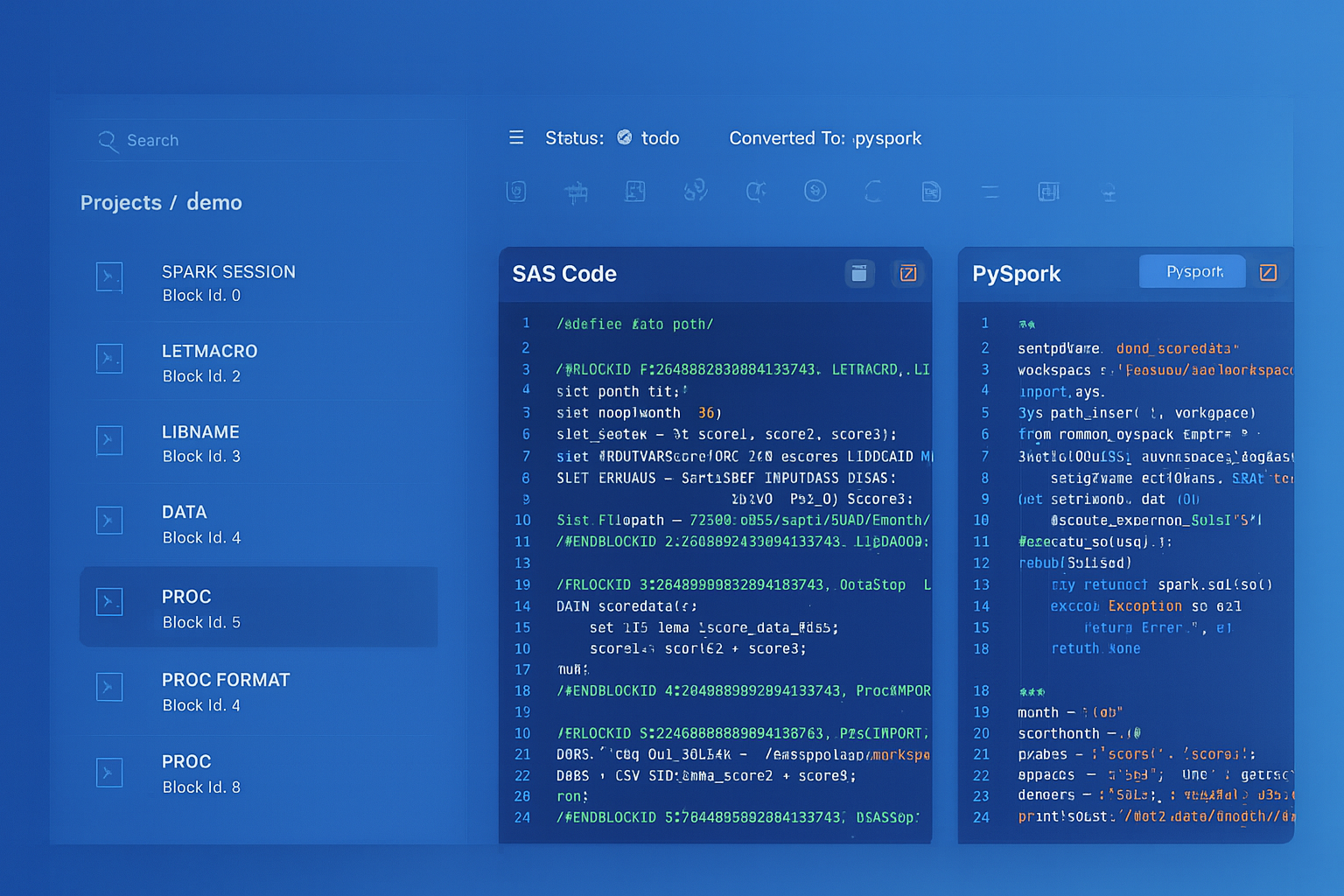
From parsed legacy code to production-ready modern equivalents — MigryX automates the entire conversion pipeline
From Legacy Complexity to Modern Clarity with MigryX
Legacy ETL platforms encode business logic in visual workflows, proprietary XML formats, and platform-specific constructs that are opaque to standard analysis tools. MigryX’s deep parsers crack open these proprietary formats and extract the underlying data transformations, business rules, and data flows. The result is complete transparency into what your legacy code actually does — often revealing undocumented logic that even the original developers had forgotten.
DataStage Environment Variables to Databricks Parameters
DataStage environment variables (DSParams, project-level, and job-level parameters) configure runtime behavior such as database connections, file paths, and processing dates. Databricks provides multiple parameterization mechanisms that serve the same purpose.
| DataStage Parameter Type | Databricks Equivalent | Scope |
|---|---|---|
| Project Environment Variable | Cluster environment variable / Unity Catalog properties | Workspace / cluster-wide |
| Job Parameter | Databricks widget / job parameter | Notebook / workflow run |
| DSParams | Cluster Spark config / init script | Cluster-level configuration |
| Parameter Set | Workflow job parameters (key-value pairs) | Workflow-level runtime config |
# DataStage job parameter usage:
#   #source_schema# and #target_schema# as environment variables
#   #processing_date# as job parameter

# Databricks equivalent using widgets
dbutils.widgets.text("source_schema", "bronze", "Source Schema")
dbutils.widgets.text("target_schema", "silver", "Target Schema")
dbutils.widgets.text("processing_date", "2026-04-08", "Processing Date")

source_schema = dbutils.widgets.get("source_schema")
target_schema = dbutils.widgets.get("target_schema")
processing_date = dbutils.widgets.get("processing_date")

# Use parameters in queries
df = spark.sql(f"""
    SELECT * FROM {source_schema}.daily_transactions
    WHERE transaction_date = '{processing_date}'
""")

df.write.format("delta").mode("overwrite").saveAsTable(f"{target_schema}.daily_transactions")
Medallion Architecture: Replacing DataStage Pipeline Tiers
DataStage pipelines typically implement a multi-layer architecture: landing/staging, cleansing/conforming, and presentation/reporting layers. This maps naturally to the Databricks Medallion Architecture pattern of bronze (raw), silver (cleansed/conformed), and gold (business-level aggregates).
| DataStage Pipeline Layer | Medallion Tier | Delta Lake Implementation |
|---|---|---|
| Landing / Staging | Bronze | Auto Loader / COPY INTO — raw data with metadata columns |
| Cleansing / Conforming | Silver | PySpark transformations with Delta Lake MERGE for deduplication |
| Aggregation / Presentation | Gold | Aggregate tables, materialized views, serving tables |
| Data Quality / Reject Handling | Quarantine table + Delta Lake expectations | Bad records isolated with audit columns |
Auto Loader: Replacing DataStage File-Based Ingestion
# DataStage Sequential File stage: Read CSV files from landing directory
# DataStage Transformer: Apply column mappings and type conversions

# Databricks Auto Loader equivalent: Continuous, schema-aware ingestion
df_raw = (spark.readStream
    .format("cloudFiles")
    .option("cloudFiles.format", "csv")
    .option("cloudFiles.schemaLocation", "/mnt/checkpoints/orders_schema")
    .option("cloudFiles.inferColumnTypes", "true")
    .option("header", "true")
    .load("/mnt/landing/orders/")
)

# Add ingestion metadata (audit columns)
from pyspark.sql.functions import input_file_name, current_timestamp

df_bronze = (df_raw
    .withColumn("_source_file", input_file_name())
    .withColumn("_ingested_at", current_timestamp())
)

# Write to bronze layer as Delta table
(df_bronze.writeStream
    .format("delta")
    .option("checkpointLocation", "/mnt/checkpoints/orders_bronze")
    .trigger(availableNow=True)
    .toTable("bronze.orders")
)
Data Quality and Reject Handling
DataStage uses reject links on stages to capture rows that fail validation or lookup conditions. In Databricks, Delta Lake expectations (via Delta Live Tables) or custom PySpark validation logic provide equivalent reject-handling capabilities with additional benefits like quarantine tables and data quality dashboards.
# DataStage pattern: Transformer with reject link for invalid records
# Reject condition: IsNull(customer_id) OR revenue < 0

df = spark.table("bronze.transactions")

# Separate valid and rejected records
valid = df.filter(
    col("customer_id").isNotNull() &
    (col("revenue") >= 0)
)

rejected = df.filter(
    col("customer_id").isNull() |
    (col("revenue") < 0)
).withColumn("reject_reason",
    when(col("customer_id").isNull(), "NULL_CUSTOMER_ID")
    .when(col("revenue") < 0, "NEGATIVE_REVENUE")
    .otherwise("UNKNOWN")
).withColumn("rejected_at", current_timestamp())

# Write both streams
valid.write.format("delta").mode("append").saveAsTable("silver.transactions")
rejected.write.format("delta").mode("append").saveAsTable("quarantine.transactions_rejected")
Unity Catalog: Replacing DataStage Repository Governance
DataStage Designer and Repository provide metadata management, but lineage tracking is limited to job-level dependencies. Unity Catalog provides a fundamentally richer governance layer with automated column-level lineage, fine-grained access control (row/column level), data classification, and cross-workspace catalog federation.
| DataStage Governance | Unity Catalog Equivalent | Enhancement |
|---|---|---|
| Repository (metadata store) | Unity Catalog metastore | Three-level namespace: catalog.schema.table |
| Project-level access control | Catalog/schema grants | Row-level and column-level security |
| Job dependency graph | Automated column-level lineage | No manual configuration required |
| Data element descriptions | Column comments and tags | Searchable, API-accessible metadata |
| Import/export (DSX files) | Git Repos integration | Full version control with CI/CD pipelines |
MLflow Integration: Beyond Traditional ETL
DataStage is a pure ETL tool with no native machine learning support. Databricks extends the data platform with MLflow for experiment tracking, model registry, and model serving. This means feature engineering pipelines that previously terminated in DataStage and fed external ML tools can now run end-to-end on Databricks.
# Feature engineering that was a DataStage job + external ML pipeline
# Now runs as a single Databricks notebook with MLflow tracking

import mlflow
from pyspark.ml.feature import VectorAssembler
from pyspark.ml.classification import GradientBoostedTreeClassifier

# Feature engineering (formerly DataStage Transformer + Aggregator)
features = spark.sql("""
    SELECT
        customer_id,
        total_orders,
        avg_order_value,
        days_since_last_order,
        lifetime_value,
        support_ticket_count,
        is_churned
    FROM gold.customer_features
""")

# Train model with MLflow tracking
with mlflow.start_run(run_name="churn_prediction"):
    assembler = VectorAssembler(
        inputCols=["total_orders", "avg_order_value", "days_since_last_order",
                    "lifetime_value", "support_ticket_count"],
        outputCol="features"
    )
    gbt = GradientBoostedTreeClassifier(labelCol="is_churned", featuresCol="features")
    # ... training pipeline
    mlflow.log_param("model_type", "GBT")
    mlflow.spark.log_model(model, "churn_model")
How MigryX Automates DataStage-to-Databricks Migration
MigryX uses AST-based deterministic parsing to analyze DataStage parallel and sequential jobs, extracting the complete transformation graph from compiled OSH and DSX metadata. Unlike regex-based tools or AI-only approaches that approximate conversion, MigryX's parser achieves +95% accuracy by building a full abstract syntax tree of each DataStage job, understanding stage types, link metadata, derivation expressions, and conditional logic.
MigryX Migration Workflow
- Automated Discovery — MigryX scans the DataStage repository, extracting all parallel jobs, sequential jobs, parameter sets, and shared containers. Column-level lineage is traced across the entire DataStage project.
- AST-Based Translation — Each DataStage stage is parsed into an abstract syntax tree, then deterministically translated to PySpark or Spark SQL. Transformer derivations become
withColumn()chains, Aggregator stages becomegroupBy().agg(), and Lookup stages become broadcast joins. - STTM Documentation — MigryX generates Source-to-Target Mapping documents that capture every column mapping, transformation rule, and data type conversion for audit and validation purposes.
- Multi-Target Output — The same DataStage analysis can produce PySpark notebooks, Spark SQL scripts, or Databricks SQL — allowing teams to choose the target format that best fits their skills and standards.
- Merlin AI Assistance — MigryX's Merlin AI handles edge cases like complex BASIC expressions, nested stage variables, and custom routine translations that require contextual understanding beyond deterministic rules.
Key Takeaways
- Every DataStage parallel job stage has a direct PySpark or Spark SQL equivalent — Transformer maps to withColumn/select, Aggregator to groupBy().agg(), Lookup to broadcast joins, Sort to orderBy(), and Funnel to unionByName().
- Sequential jobs translate to Databricks Workflows with task dependencies, conditional execution (run_if), retry policies, and CRON-based scheduling.
- DataStage Change Capture stages are replaced by Delta Lake MERGE with ACID transactions and Change Data Feed (CDF) for downstream change tracking.
- The Medallion Architecture (bronze/silver/gold) provides a natural mapping for DataStage multi-layer pipeline patterns, with Auto Loader replacing file-based ingestion stages.
- Unity Catalog replaces the DataStage Repository with automated column-level lineage, fine-grained access control, and Git-based version control.
- MigryX automates the conversion with AST-based deterministic parsing at +95% accuracy, generating PySpark notebooks, STTM documentation, and Databricks Workflow definitions from DataStage DSX metadata.
- On-premise and air-gapped deployment ensures MigryX runs within your security perimeter — no DataStage metadata leaves your environment.
Migrating from IBM DataStage to Databricks is a transition from a proprietary ETL engine to a cloud-native lakehouse platform. The transformation logic remains fundamentally the same — joins, aggregations, lookups, and conditional derivations — but the execution model shifts from pipeline-compiled OSH scripts to distributed PySpark DataFrames on elastic Spark clusters. Delta Lake provides the ACID transactional guarantees that enterprise ETL demands, while Unity Catalog delivers governance capabilities that exceed what DataStage Repository offered. With MigryX's automated, AST-based approach, the migration preserves 100% of the business logic while enabling the full power of the Databricks Lakehouse Platform.
Why MigryX Is the Only Platform That Handles This Migration
The challenges described throughout this article are exactly what MigryX was built to solve. Here is how MigryX transforms this process:
- Deep AST parsing: MigryX’s custom-built parsers achieve 95% accuracy on every supported legacy technology — not through approximation, but through true semantic understanding.
- Merlin AI augmentation: Where deterministic parsing reaches its limit, Merlin AI resolves ambiguities and implicit behaviors, pushing accuracy to 99%.
- Complete coverage: MigryX supports 25+ source technologies including SAS, Informatica, DataStage, SSIS, Alteryx, Talend, ODI, Teradata, and Oracle PL/SQL.
- End-to-end automation: From parsing to conversion to validation — MigryX automates the entire pipeline, not just one step.
MigryX combines precision AST parsing with Merlin AI to deliver 99% accurate, production-ready migration — turning what used to be a multi-year manual effort into a streamlined, validated process. See it in action.
Ready to migrate from IBM DataStage to Databricks?
See how MigryX converts DataStage parallel jobs, sequential jobs, and shared containers to production-ready PySpark notebooks and Databricks Workflows.
Explore DataStage Migration Schedule a Demo